website redesign asset checklist uk
What this checklist covers
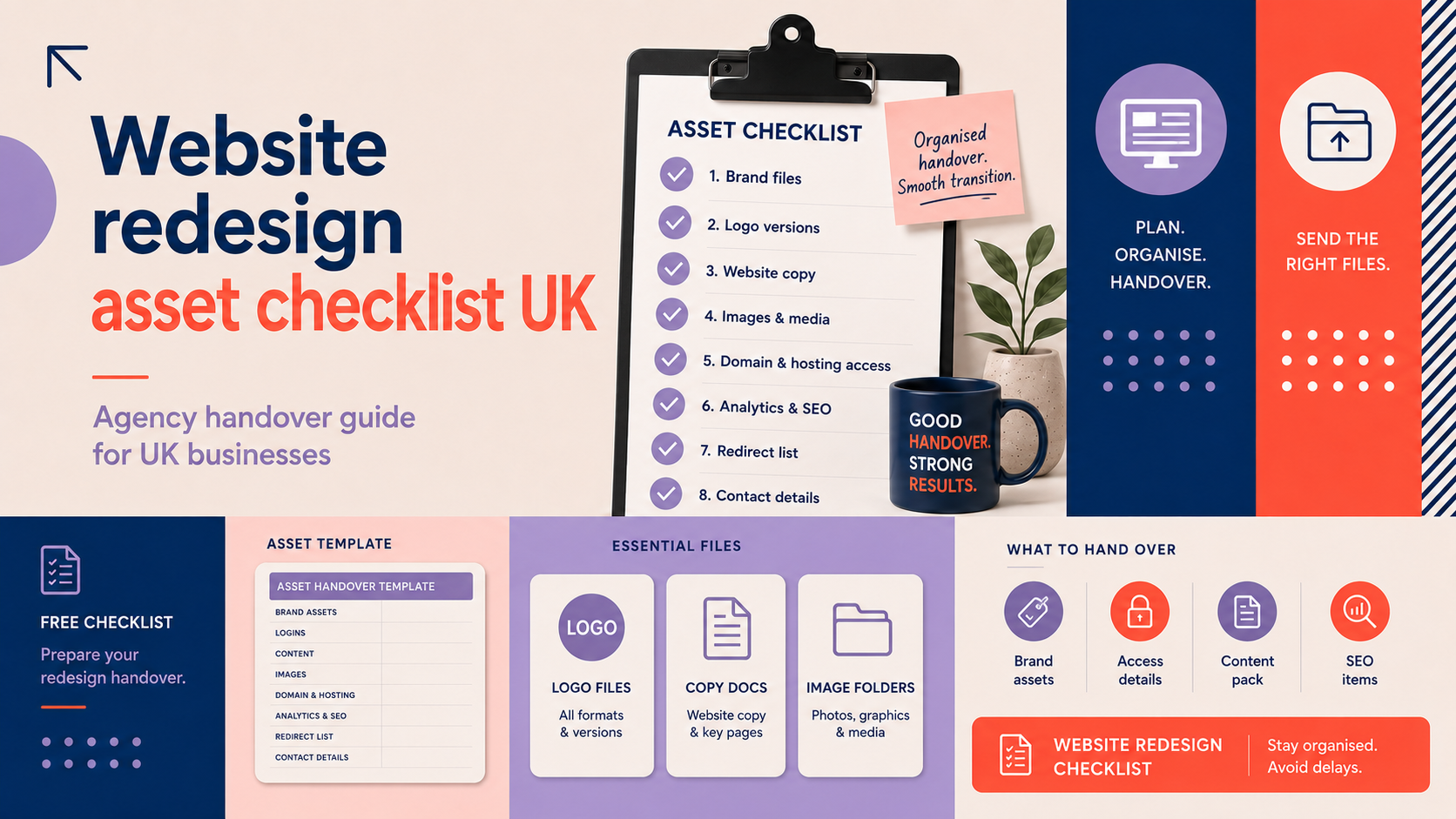
This website redesign asset checklist uk explains what to prepare and hand to your agency during a redesign. It covers brand assets, content, technical access, SEO items, ecommerce data, testing and a simple sign-off template so you can reduce delays and keep the project on schedule.
Who should use it
This guide is written for business owners, marketing teams and project leads preparing to work with an agency. It is also useful for agencies preparing their own client intake lists. Assign a single point of contact to own the handover to avoid confusion.
How to use the checklist during your redesign project
Use this document alongside your project brief. Share assets in the agreed structure and mark items as “Ready”, “Pending” or “Not available”. If a third party (photographer, copywriter, fulfilment partner) is involved, record their contact details and delivery dates.
Pre-handover: agree scope, timeline and responsibilities
Confirm project scope and page list
Agree a definitive page list and any template variations before sending assets. Include page names, desired URLs and required content types (e.g. blog, product, landing page). For B2B projects with multiple stakeholders, consider a stakeholder map and content approvers; our B2B web design services page explains common considerations for business-focused sites.
Set a realistic asset delivery timeline
Work backwards from your launch date and set internal deadlines for key asset groups: branding, copy, imagery, product data and technical access. Build in review cycles—typically two rounds of client review for each page—and allow time for QA and accessibility checks.
Assign responsibilities (client, agency, third parties)
Record who provides each asset and who reviews it. Use a shared spreadsheet with columns for owner, due date, version and status. A named client contact should be authorised to approve content and sign off final pages.
How to handle late or missing assets
If an asset is late, agree fallback content (temporary copy or placeholder images) and a plan to replace items post-launch. Make sure any temporary content is flagged so it is not forgotten after launch.
Brand and design assets
Logos (vector source files and web variants)
- Provide vector formats (.ai, .eps, .svg) and high-resolution PNG/JPEG variants. Include stacked, horizontal and monochrome versions where available.
- Note preferred clear-space and minimum sizes to avoid resizing errors.
Brand colour palette and values
Give exact colour values as HEX for web and RGB/CMYK for print. List primary, secondary and accent colours and indicate which should be used for links, buttons and backgrounds.
Typography: fonts, licences and weights
Supply font files where licences allow, or confirm web font provider (Google Fonts, Adobe Fonts) and which weights to use. Note any special characters, diacritics or corporate type treatments.
Brand guidelines and imagery style
Provide your brand guidelines, tone of voice notes and a moodboard or sample images showing the desired photographic and illustration style. If you need new logo or brand work before the redesign, see our logo and branding services.
Favicon and social avatar files
Include a square SVG and PNG at 512×512px for social avatars and a 32×32 PNG for favicons. Label which image to use where.
Content assets (copy, images, video)
Final page copy and content mapping
Deliver final copy in a single structured document or spreadsheet that maps each text block to a URL or page template. Clearly label headings, subheadings, CTAs and meta descriptions where available.
Hero images, product photography and optimisation
- Provide original high-resolution images plus ready-to-use web optimised versions where possible (JPEG/PNG, or WebP if agreed).
- Include usage notes: crop ratios for hero images, maximum file sizes and point-of-focus for responsive cropping.
Video files and hosting
Supply MP4 files for downloads and a hosting plan (YouTube, Vimeo or self-hosted). Provide transcripts and brief captions for accessibility and SEO.
Alt text and accessibility notes
If you have preferred alt text for key images, supply it. Flag any complex images (charts, diagrams) so the agency can prepare accessible descriptions.
Copyright and usage confirmations
Confirm ownership or licence details for all third-party images, icons and fonts. Keep copies of licences and attribution text to avoid disputes after launch.
Technical assets and access credentials
Domain registrar and DNS control
Provide the domain registrar account details and the person authorised to change DNS. If you prefer the agency to make DNS changes, give documented permission and a contact for two-factor authentication where required.
Hosting account, SFTP and control panel
Share hosting control panel and SFTP credentials for the staging area. If the agency will manage hosting, provide gateway credentials or create a scoped user account.
CMS admin accounts and permissions
Create a CMS account for the agency with appropriate permissions. For WordPress projects, follow best practice by creating a user with administrative privileges and changing passwords after handover. If you need WordPress-specific guidance, see our WordPress web design services page and our WordPress website design checklist for UK small businesses for additional setup items.
Plugin, theme and developer licences
List active plugins and themes with licence details and expiry dates. Provide licence keys or transfer instructions so the agency can install and test premium features.
Repository access and staging URLs
Share Git repository access (read/write for the development team) and staging site URLs with credentials. Note any build or deployment steps required.
SEO, analytics and redirects
Analytics and tag manager
Grant access to Google Analytics/GA4 and Google Tag Manager, or provide a user to add the agency temporarily. Confirm which account owns the property to avoid access issues later.
Search Console and webmaster verification
Verify Search Console and Bing Webmaster ownership, or add the agency as a verified user so they can submit sitemaps and monitor crawl errors.
Existing URL list and 301 redirect map
Provide a list of current URLs and note which will change. Create a 301 redirect map to preserve SEO equity. If you do not have this, ask the agency to generate a crawl and propose a redirect plan.
Meta titles, descriptions and sitemaps
Share existing meta titles and descriptions where possible. Supply sitemap.xml or let the agency generate one once the new structure is final. Include canonical and hreflang requirements if relevant.
E-commerce specific assets
Product catalogue and pricing
Deliver a complete product CSV or Excel export including SKUs, prices, stock levels, descriptions and image links. Include category and tag rules.
Stock, variants and fulfilment rules
Document variant rules (size, colour), inventory thresholds and backorder policies. Provide details for fulfilment partners and contact details for integrations.
Payment gateway and sandbox accounts
Share payment gateway credentials and sandbox/test accounts. Include API keys and any payment provider documentation. For clients using our E-commerce store design services, we can advise on migration and test setups.
Shipping, returns and VAT settings
Provide shipping zones, carrier accounts and VAT settings. Confirm how returns and refunds should be presented on the site.
Platform-specific notes
Note any platform-specific requirements for Shopify, WooCommerce or custom platforms. Shopify clients should consult our Shopify web design guidance for theme and export considerations.
Testing, responsiveness and performance
Cross-device and browser tests
- Test on major browsers (Chrome, Edge, Firefox, Safari) and device sizes. Create a short list of crucial pages to test on real devices.
Accessibility basics
Confirm alt text, semantic headings and keyboard navigation for key pages. Flag any regulatory or sector-specific accessibility requirements early.
Page speed and optimisation targets
Agree realistic performance targets (e.g. load time and largest contentful paint) and note any heavy third-party scripts that may affect performance.
Broken links, forms and transactions
Test all links, contact forms and ecommerce checkout flows. Use a staging environment and run through the full customer journey, including emails and receipts.
Backup and rollback plan
Agree a pre-launch backup and a rollback plan in case issues arise. Note who is authorised to initiate a rollback and how long monitoring will continue post-launch. For help with responsive checks and optimisation, consider a responsive web design review.
File organisation, naming and delivery
Suggested folder structure
- Brand/ (logos, guidelines)
- Images/ (hero, products, team)
- Copy/ (page copy, blog drafts)
- Product-data/ (CSVs)
- Technical/ (credentials, licences)
File naming and version control
Use clear file names: page_image-hero-v1.jpg and increment versions. Keep a change log for major updates so the agency knows which file is final.
Preferred file types and size limits
Use SVG for logos and icons, JPEG/PNG/WebP for photographs and MP4 for video. Provide optimised web versions when possible and note maximum acceptable file sizes.
How to deliver large files
Share large files via cloud links (Google Drive, Dropbox) or SFTP. Provide access expiry dates and permissions (edit, view) to avoid access problems.
Handover checklist template and sign-off
Pre-launch checklist (key items)
- All logos and brand files supplied
- Final page copy mapped to URLs
- Images and videos optimised and licensed
- CMS, hosting and domain access confirmed
- Analytics and Search Console access granted
- Redirect map ready and tested
- Staging site tested across devices and browsers
- Backup created and rollback plan agreed
Post-launch responsibilities and monitoring window
Agree a monitoring window (commonly 14–30 days) during which the agency fixes bugs and monitors analytics. Assign who will act on post-launch optimisation and content updates.
Sign-off template
Include: project name, launch date, items checked (tick list), client approver name, agency approver name and date. Store signed records centrally.
Common delays and how to avoid them
Typical delays come from late product data, unpaid licence renewals and slow approvals. Mitigate these by setting internal deadlines, pre-purchasing licences and keeping approvers informed of review windows.
Frequently asked questions
What file formats should I provide for logos, images and video?
Provide logos as SVG/AI/EPS and PNG; photographs as high-resolution JPEG/PNG plus optimised web versions (WebP if agreed); video as MP4. Include source files where licences allow.
How should I share sensitive access credentials with an agency securely?
Use a secure password manager or create time-limited user accounts. Avoid sending credentials in unencrypted email. If required, provide documented permission for the agency to act on your behalf.
When should assets be handed over to avoid delaying a redesign?
Ideally all core assets (brand, core page copy, key images, technical access) should be available before development starts. Non-critical items can be scheduled for later, but have clear deadlines tied to milestone payments.
Do I need to provide SEO metadata and a redirect map before the new site goes live?
Yes—providing existing meta titles and a redirect map preserves search equity. If you cannot supply them, ask the agency to crawl the current site and prepare a redirect plan.
What happens if some assets are missing or I don’t have rights to certain images?
If assets are missing, supply temporary content and plan to replace it post-launch. For images without rights, either purchase appropriate licences, commission new photography, or use licensed stock with attribution as agreed.
Request a free consultation with Logo Metic if you want help preparing assets or need a hands-on handover plan for your project. Our team can advise on WordPress, ecommerce migrations and brand asset preparation.
Additional reading: If you’re launching an online shop, our ecommerce website launch checklist is useful for pre-launch testing steps.