This wordpress website design checklist is written for UK small businesses and startups. Read it to plan, build or review a WordPress site that meets user experience, legal and technical needs. Each section contains practical items you can action yourself or hand to a developer or designer.
Why use this checklist
Use this checklist to reduce rework, avoid common legal and performance traps, and ensure your site supports the outcomes you need: enquiries, bookings or sales. It suits teams building in-house, business owners working with a freelancer, or those briefing an agency.
Who this checklist is for
Small businesses and startups across the UK preparing a new site or reviewing an existing WordPress site. It assumes basic familiarity with WordPress but explains items non-technical owners should check.
How to use the checklist
Work through each section during planning and development. Mark items complete, note who’s responsible, and gather assets before development starts. Many items are quick checks for a content editor or owner.
When to hire a specialist
Consider a specialist when you need custom functionality, high-volume ecommerce, performance optimisation, or help meeting legal and accessibility obligations. If you want assistance, Request a WordPress website consultation with a skilled team that understands UK businesses.
Pre-launch planning and strategy
Before design or development, be clear about what success looks like.
- Define primary goals — Sales, leads, information, bookings or brand presence. Attach a measurable objective to each goal (e.g. number of enquiries per month).
- Identify target audience and journeys — Who are your customers? Map 2–3 key journeys (discover → consider → contact/purchase).
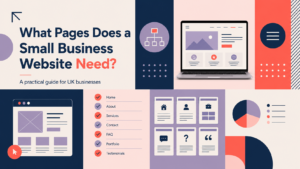
- Core pages and content priorities — Decide which pages must exist at launch (homepage, services, contact, product pages) and what content they need.
- Choose hosting approach — For UK performance consider managed WordPress hosting or a UK-based VPS. Managed hosts simplify updates and backups; VPS gives more control but needs technical maintenance.
Domain, branding and identity checks
Prepare brand assets and domain settings before development to ensure a polished, consistent site.
- Domain name — Confirm registration, any redirects from older domains, and subdomain plans (e.g. shop.example.com). Test DNS records and ensure the hosting environment supports the domain.
- Brand assets — Provide logo files (SVG and high-resolution PNG), colour palette and typography guidance. Supply a short brand brief for tone of voice and imagery style.
- Editorial guidance — Outline tone, examples of acceptable images and photography style for anyone creating content.
- Logo and favicon — Ensure accessible, scalable logo files and set a favicon (multiple sizes) to display correctly on browsers and devices.
Design and user experience (UX)
Good design converts. Check these UX essentials during design and testing.
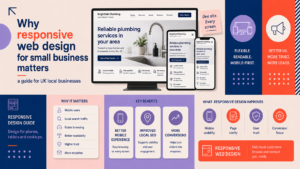
Mobile-first responsive design
- Design and test across common breakpoints: mobile, tablet and desktop.
- Ensure tap targets are large enough and layouts reflow logically on small screens.
Navigation and search
- Clear primary menu, logical page labels and an internal search if you have many pages or products.
- Use breadcrumbs for multi-level sites and ensure important pages are reachable within three clicks.
Homepage and landing pages
- Priority content above the fold: clear proposition, primary call to action and an engaging visual.
- Sections that guide users to services, testimonials and contact with clear CTAs.
Calls to action
- Place CTAs where users decide (after service descriptions, product details). Use concise, benefit-led wording and visual contrast.
Accessibility basics
- Check colour contrast for text and interactive elements, use readable font sizes and ensure keyboard navigation is possible.
Content, SEO and local optimisation
Make content discoverable and useful for UK searchers.
- Page titles and meta descriptions — Create keyword-focused, readable page titles and meta descriptions for each important page.
- Heading structure — Use a single H1 per page, then H2 and H3 as needed. Keep copy scannable with short paragraphs and lists.
- Local signals — Add a clear postal address, opening hours and local schema where appropriate to help UK users and local search results.
- Images — Use descriptive filenames and alt text, compress images to balance quality and performance, and implement lazy-loading for long pages.
- Essential pages — Include About, Services (or Products), Contact, Privacy Policy and Cookie Policy before launch.
Technical setup and performance
Technical health affects usability and search performance.
- WordPress core and theme — Ensure the site runs a supported WordPress core and a well-coded theme compatible with the latest stable release.
- Essential plugin categories — Install plugins for regular backups, security hardening, caching and image optimisation. Avoid plugin overlap and review plugin quality before install.
- HTTPS — Enforce HTTPS sitewide with a valid certificate and redirect HTTP to HTTPS.
- Page speed — Use caching, a CDN where appropriate, optimised images and defer or lazy-load non-critical scripts.
- Core Web Vitals — Test and address the main signals: loading, interactivity and visual stability, especially for mobile users.
E-commerce and booking considerations (if applicable)
If you sell online or take bookings, add these checks.
- Product pages — Clear descriptions, multiple images, pricing, shipping and returns information.
- Checkout flow — Keep forms short, allow guest checkout where suitable and show trust signals (secure payment icons, clear contact details).
- Payment gateways — Use reputable gateways and follow PCI compliance basics from your provider.
- Tax and shipping — Configure VAT, shipping zones and fees relevant to UK customers.
- For specialist stores, consider professional support for an optimised checkout; our e-commerce store design service can help with this.
Security, privacy and legal compliance
Protect your customers and meet UK regulatory expectations.
- GDPR and cookie consent — Provide a clear privacy notice, cookie policy and a consent tool that records user choices. For legal certainty seek specialist advice.
- Privacy policy and terms — Publish a privacy policy and terms of service suitable for your business model.
- Backups — Schedule regular backups and test restore procedures.
- Admin hygiene — Use strong passwords, limit admin accounts and enable two-factor authentication for accounts with site access.
Pre-launch testing and quality assurance
Complete these tests before you go live to reduce post-launch fixes.
- Cross-browser and device testing — Test on common browsers and devices used by your audience.
- Forms and email — Test form submissions, notification emails and spam filtering.
- 404s and redirects — Fix broken links, set up necessary redirects and prepare an XML sitemap for submission.
- Analytics and tracking — Add Google Analytics or an alternative, set up goals or events, and verify tracking works on key pages.
Launch day and post-launch maintenance
- DNS switch checklist — Plan DNS changes outside peak hours, keep TTLs low before switching and monitor for propagation issues.
- Immediate post-launch — Monitor uptime, review logs, confirm backups and check Search Console for crawl issues.
- Monthly maintenance — Schedule updates, security checks, performance reviews and a content refresh plan.
- When to redesign — Consider a redesign if conversion metrics fall, branding changes, or technology becomes unsupported.
Practical examples and downloadable checklist
Use these mini examples to see the checklist applied.
Homepage checklist for a local café
- Clear opening hours and address near the top.
- Visible call to action: “Book a table” or “View menu”.
- Mobile-friendly menu and contact button for calls.
- Photos of the venue optimised for performance.
Product page checklist for an online retailer
- High-quality product images with alt text and zoom.
- Clear price, shipping options and returns policy link.
- Customer reviews or trust signals and an easy add-to-cart button.
Next steps and getting professional help
When your checklist is complete, prepare a brief for any agency or freelancer. A good brief includes your goals, target audience, brand assets, required pages and budget range.
Logo Metic provides professional WordPress web design services and can help with planning, build, launch and ongoing maintenance. Request a free consultation with Logo Metic to discuss your project and view portfolio examples.
FAQ
-
What should be included in a WordPress website design checklist for small businesses?
Include planning goals, domain and brand checks, mobile-first design, on-page SEO, accessibility basics, technical setup (updates, plugins, HTTPS), security and legal pages, testing and a maintenance plan.
-
How do I make sure my WordPress site meets UK GDPR and cookie rules?
Provide a clear privacy policy, implement a cookie consent tool that records choices and document lawful bases for processing personal data. For specific obligations seek legal advice.
-
How long does it typically take to design and launch a small business WordPress site?
Timelines vary by scope. A simple site can take a few weeks; more complex builds or ecommerce projects take longer. Define scope and milestones in your brief.
-
Which WordPress plugins are essential for security, backups and performance?
Use plugins for scheduled backups, site security hardening, caching and image optimisation. Choose reputable plugins, avoid duplicates and keep them updated.
-
Can I use this checklist for an online shop built with WooCommerce?
Yes. Apply the ecommerce section to product pages, checkout and payment settings. For complex stores consider professional ecommerce support.
-
When should I hire a professional agency versus using a freelancer or a template?
Hire an agency for larger projects, ongoing maintenance, ecommerce or when you need a full branding and digital strategy. Freelancers suit smaller scopes. Templates work for tight budgets but may need customisation for performance and accessibility.
Request a free consultation with Logo Metic to discuss your WordPress or ecommerce project. Email support@logometic.co.uk or call +44 7883 180004 to arrange a briefing and see how our professional WordPress web design services can help.