

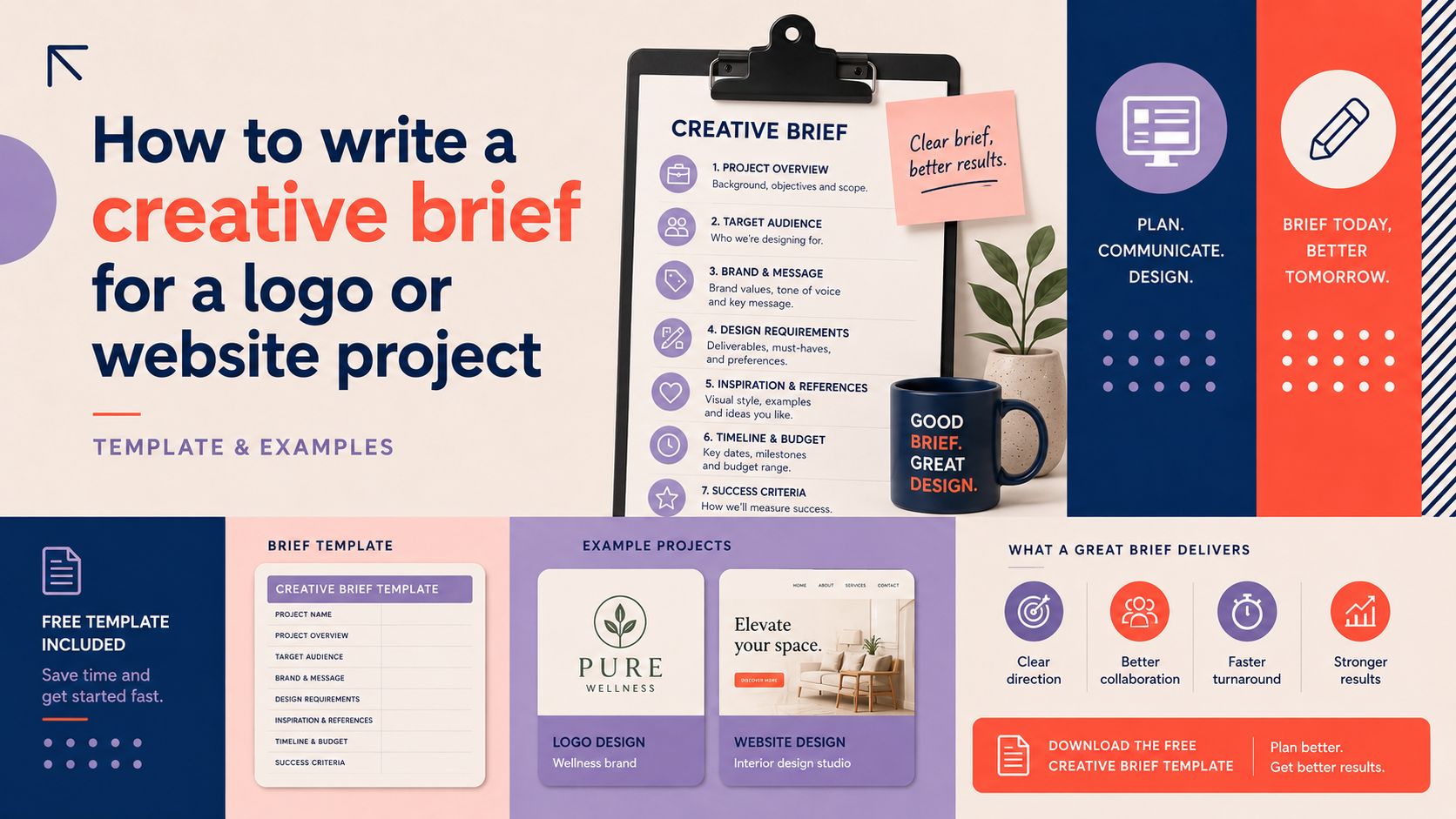
This guide explains how to write a creative brief and gives a ready-to-use template, plus real examples for a logo and a WordPress or ecommerce website. It’s written for small businesses and startups across the UK who want clearer, faster outcomes when working with a designer or developer.
Who this guide is for
This article is for founders, owners and managers at small UK businesses who need to brief a logo, brand or website project. No prior design knowledge is required — the aim is to make your briefing clear, practical and usable.
What you’ll learn and how to use the template
You will learn what a creative brief should include, what to prepare before you start, and see two filled examples you can adapt. Use the template to collate answers from stakeholders and attach files your agency or freelancer will need.
What is a creative brief and why it matters
Definition and purpose
A creative brief is a short, structured document that explains the goals, audience, scope and constraints of a design or web project. It gives the designer or developer the context they need to produce relevant concepts quickly.
Benefits for logo projects
For a logo, a clear brief reduces guesswork, limits unnecessary rounds of design, and helps deliver a mark that reflects your business personality and practical usage (signage, social avatars, invoices, merchandise).
Benefits for website projects
For a website, a good brief clarifies key pages, user journeys, technical requirements (for example WordPress or ecommerce), and SEO or accessibility needs — saving time and reducing scope creep.
Before you start: internal prep and research
Identify stakeholders and decision-makers
List who will approve work and who will give feedback. Specify a single decision-maker where possible to avoid conflicting directions.
Gather existing brand assets and guidelines
Collect logos, colours, fonts, imagery, supplier logos, and any existing guidelines. If nothing exists, note that in the brief — it helps the agency know whether brand identity work is required.
Collect competitor and inspiration examples
Provide links or screenshots of competitor sites and designs you like or dislike. Use short notes explaining what you like about each example.
Practical tip: a one-page factsheet for stakeholders
Create a one-page factsheet with the project objective, target audience and budget range. Share this with stakeholders before writing the full brief to keep responses aligned.
Creative brief template — fields explained
Below is a practical template you can copy into a document or email. Keep responses concise: a few sentences per field is usually enough.
Project title and overview
Short title and a one-line summary of what you need (for example: “New logo for neighbourhood plumbing services” or “WordPress website for independent bookshop”).
Project objectives (what success looks like)
List measurable or observable goals: raise local enquiries, improve online sales, present a more professional image, reduce support calls. Define success so the agency understands priorities.
Target audience and user profiles
Describe primary and secondary audiences (age, location, profession, behaviours). For websites include typical user tasks (find opening hours, buy a product, book a service).
Brand position, tone and visual guidance
State how you want the brand to be perceived (e.g. professional and approachable, or premium and modern) and any mandatory brand elements. If you need wider guidelines, consider discussing a full brand identity.
Key deliverables and scope (logo files, website pages, assets)
Be specific: for logos list file types and variants (master logo, mono, favicon, vector EPS/SVG, colour codes). For websites list required pages, blog, contact forms, user accounts or integrations.
Technical requirements and platforms (WordPress, ecommerce)
Note hosting preferences, required CMS (for example WordPress), ecommerce platforms, payment providers and integrations with CRM or email tools. If this is a WordPress project, you may want a WordPress website consultation before finalising technical details.
SEO and accessibility notes
Mention primary keywords, any pages that must rank, and basic accessibility expectations (WCAG basics — clear headings, alt text for images, keyboard navigation). Ask the agency to confirm conforming approaches.
Budget range and timeline
Provide a realistic budget range and desired milestones or launch date. Being upfront about budget saves wasted proposals and helps the agency scope the work correctly.
Stakeholders, approvals and milestones
List who signs off at each stage and expected review windows for design rounds, testing and final approval.
Reference examples and ‘do / don’t’ notes
Attach or link to inspiration and explain what to avoid. Short ‘do’ and ‘don’t’ lists help designers understand visual boundaries quickly.
If you’re preparing a logo brief and want professional support, see how to request a custom logo consultation.
Example: filled-in logo brief (practical example)
Sample brief: new local services brand
Project title: “GreenTown Plumbing — new logo”. Overview: Create a modern, trustworthy logo for a small plumbing business serving a town and surrounding villages.
Objectives: Increase trust for online enquiries and make uniforms and vans look professional. Target audience: Homeowners aged 30–65 within 20 miles, prioritising quick local response.
Deliverables: Primary logo (colour and mono), favicon, SVG and PNG, brand colour suggestions and usage notes. Budget and timeline: Budget £1,500–£3,000; initial concepts in two weeks; final delivery in six weeks.
Why each field matters for logo design
Stating deliverables prevents surprises about file formats. A clear audience and objective helps the designer choose forms, icons and typography that suit the market.
How to attach inspiration and existing assets
Zip existing logos and photos and include a short note for each inspirational link explaining what you like or dislike.
Example: filled-in website brief (WordPress and ecommerce)
Sample brief: small business WordPress site
Project title: “GreenTown Plumbing — brochure site (WordPress)”. Overview: A 6–8 page WordPress site focused on local enquiries and booking.
Technical notes: Built on WordPress with a fast, secure theme, contact form with SMS notification, Google Maps embed, and basic on-page SEO. See our WordPress Web Design service for typical deliverables and support options.
Sample brief: small ecommerce store
Project title: “TownBooks — online store”. Overview: 300 SKUs, category pages, stock management, Stripe payments, and shipping via a UK fulfilment partner.
Deliverables: Product import template, UX for browsing and checkout, GDPR-compliant cookie banner, and training for in-house product updates. For ecommerce projects discuss specifics at our Discuss your ecommerce store project page.
Essential technical notes for WordPress projects
Ask the agency what theme and plugins they recommend, who manages hosting and backups, and how performance and security will be handled. If you need help with these decisions, book a WordPress website consultation.
Practical checklist, questions for agencies and common pitfalls
One-page brief checklist (ready to paste into an email)
- Project title and one-line overview
- Primary objective and measures of success
- Target audience (short profiles)
- Key deliverables and file formats
- Budget range and target launch date
- Stakeholders and approval process
- Attach logos, imagery and 3–5 inspiration links
For WordPress-specific items see the WordPress website design checklist for deeper technical preparation.
Questions to ask the agency before you start
- Do you provide a full project plan and timeline?
- Which deliverables are included in the price?
- How many design revisions are included?
- Who will own final files and licences?
- Can you produce brand guidelines or should we discuss Discuss a complete brand identity?
Common brief-writing mistakes and how to avoid them
- Being too vague — include concrete examples and priorities.
- Asking for everything — set a clear objective to keep scope tight.
- Not listing decision-makers — this causes delays and conflicting feedback.
Using the brief during the project: collaboration and revisions
Sharing the brief and keeping version control
Share the brief via a cloud link and include a version or date in the filename. Keep a single ‘current’ version and record any agreed changes as addenda.
How to give clear feedback tied to the brief
Frame feedback against the brief: reference the objective and audience when suggesting changes. If your feedback raises new requirements, treat that as a scope change to be costed. If your project needs consistent visual rules beyond a logo, consider commissioning a full Brand Identity Design to avoid conflicting decisions later.
When to update the brief and when not to
Update the brief if goals or target customers change significantly. Minor wording tweaks do not require a new brief; document significant changes and agree any impact on cost or timeline.
Next steps and resources
When to consult a designer or developer
If your brief identifies gaps in brand identity, inconsistent use of logo files, slow website performance or unclear user journeys, consult a professional. If you are unsure whether you need a redesign, our guide on Signs your business website needs a redesign: A practical diagnostic guide can help you decide.
Recommended Logo Metic services and when to use them
- Custom Logo Design services — for one-off logo projects and consultation.
- Brand Identity Design — when you need comprehensive guidelines beyond a single logo.
- WordPress Web Design — for brochure sites and CMS-driven projects.
- E-commerce Store Design — for online shops with payment, shipping and product management needs.
Further reading and downloadable template
Download the printable brief template, copy it into a document and share with stakeholders. If you would like help completing the brief or want a free project consultation, request a free consultation with Logo Metic.
FAQ
What is the ideal length and level of detail for a creative brief?
A good brief is concise — typically one to three pages. Include enough detail to set objectives, audience and scope, and attach supporting files for context.
What specific information should I always include in a logo brief?
Always include the business name, primary use cases for the logo, colour preferences or restrictions, deliverable file types (SVG, EPS, PNG), and examples of styles you like or dislike.
How detailed should technical requirements be for a WordPress brief?
Be specific about required integrations, approximate product counts for ecommerce, and any hosting or performance expectations. If uncertain, ask for a technical scoping call during proposals.
Can I use one creative brief for both logo and website projects?
You can combine them if the objectives and timelines align, but separate briefs are usually clearer because deliverables and technical needs differ.
How should I share the brief with agencies and manage revisions?
Share a single version via cloud storage, include a version date, and keep feedback tied to brief objectives. Agree how many revision rounds are included before work begins.
Request a free consultation with Logo Metic — if you want help preparing your brief or discussing a project, contact us to arrange a consultation and we will walk through the next steps.



