Local SEO for trades and services UK: why it matters
If you run a plumbing, electrical, heating or home-services business, appearing in local searches is essential. This guide on local seo for trades and services uk explains how homeowners search for help, which ranking signals matter, and practical steps you can implement quickly to attract more local enquiries.
It is written for sole traders, small teams and family businesses that want clear, actionable steps rather than agency jargon. You’ll find simple audits, GBP and website optimisation advice, technical checks and a 30-day action plan.
How homeowners search for trades: intent and keywords
Most customers start with phrases like “emergency plumber near me”, “electrician in [town]” or “boiler repair [postcode]”. They use a town or phrase such as “near me” when ready to hire. That local intent means your priority is being visible where people search, not only on broad national terms.
Key local ranking signals
- Google Business Profile (GBP) completion and accuracy
- Local citations (consistent name, address, phone — NAP)
- Reviews and review responses
- On-page relevance (local keywords, service pages and schema)
- User signals such as click-to-call, directions and mobile usability
Common mistakes that harm local visibility
- Incomplete or duplicate GBP listings.
- Inconsistent NAP across directories and your website.
- Thin service pages without local context or customer proof.
- Poor mobile experience and slow pages that cause drop-off.
Quick audit: check your current local visibility
Search for your main services + town: what appears?
Try several queries on mobile and desktop: “plumber [town]”, “emergency electrician near me”, and “[service] + postcode”. Note whether your GBP appears in the map pack and whether local competitors show before you.
Check your Google Business Profile (GBP) listing
- Is your listing claimed and verified?
- Are business hours, phone number and categories correct?
- Do you have recent photos and posts?
Mobile search and page speed quick checks
Open your site on a phone. Can users find contact details and service pages within a few taps? Use a page-speed tool to get a baseline score and prioritise the biggest issues (images, server response, blocking scripts).
Local NAP consistency check
Search your business name and phone number. Are address formats identical across directories, your website and invoices? Aim for exact matches where possible.
Optimising your Google Business Profile and local citations
Complete every relevant GBP field
Fill your services, service area, business hours, photos and business description. Use concise, service-focused language and include local town names naturally where relevant.
Use service-specific attributes and structured services list
Add each trade service (for example: boiler repair, power flush, consumer unit upgrades) into GBP’s services so users can see what you offer at a glance.
How to collect and respond to reviews
Ask satisfied customers for reviews soon after completing a job. Use a short, polite script such as:
“Thanks for choosing [Business]. If you’re happy with the work, a quick review on Google would really help our small business.”
Respond to reviews promptly and professionally, thanking positive reviewers and addressing issues in negative reviews with an offer to discuss offline.
Citation sites checklist for UK trades
- Local business directories (Yell, Thomson Local equivalents)
- Trade directories and membership bodies relevant to your niche
- Local council business directories where available
Consistent NAP and a handful of authoritative, relevant citations typically beat dozens of low-quality listings.
Website design principles that convert local leads
Clear local-first homepage: what to show above the fold
- Business name, primary service and service area (e.g. “Plumbers in Bristol”)
- Prominent click-to-call button and opening hours
- One-sentence value proposition and a clear call to action
For examples of effective CMS sites that support service pages, consider Logo Metic’s WordPress web design services for small businesses which work well for trades needing easy updates and service extensions.
Service pages vs a single general page
Create a separate page for each main service you offer (e.g. “boiler repairs”, “central heating installation”). Each should include a local angle: towns served, typical response times and recent case examples.
Essential trust signals for trades
- Qualifications and accreditations
- Public liability insurance details
- Before/after photos and short project notes
- Clear terms and guarantees where relevant
If your brand needs work, consider logo and branding for small businesses to present a consistent local identity across van livery, leaflets and the website.
Mobile-first layout and click-to-call
Most local searches are on mobile. Ensure the phone number is easily clickable and the contact path is short. If you need a site review focused on mobile, request a responsive website review to prioritise fixes.
On-page SEO checklist for trades websites
Title and meta recommendations using local keywords
- Include the service and town: e.g. “Emergency Plumber in Sheffield | [Business Name]”
- Keep titles under 60 characters and meta descriptions useful, not keyword-stuffed
Optimising service pages: content, FAQs and local proof
Aim for clear descriptions of the service, typical job steps, expected timescales and prices where appropriate. Add a short FAQ addressing common customer concerns for each service page.
Schema basics for trades
Use LocalBusiness and Service schema to help search engines understand your offerings. Include address, phone, opening hours and service definitions. If you need help, reference official schema documentation when implementing structured data.
Internal linking: anchor choices and grouping
Link related service pages together (for example central heating → boiler repair) using natural anchors like “read about our boiler repair service”. Group content under sensible menu headings for users and search engines.
Technical SEO and performance for local searches
Mobile performance: Core Web Vitals basics
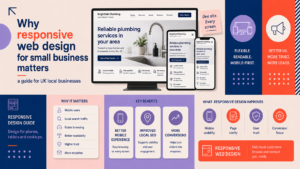
Improve loading by optimising images, deferring non-critical scripts and using caching. A responsive approach is crucial — see why responsive web design for small business matters for more detail.
Secure site, fast hosting and image optimisation
Use HTTPS, a reliable UK-friendly host and compress images. Fast, secure sites reduce bounce rates and improve the chance of converting enquiries.
URL structure and service-area page rules
Use simple URLs: /services/boiler-repair/ or /plumber-bristol/. Avoid creating low-value pages for every village; focus on service pages with real local content.
Single-site vs multiple location pages
If you offer services across many towns, create location pages only where you can provide unique local content (job examples, local testimonials). Follow the local content rule and avoid mass-produced pages.
Lead generation features every trades website needs
Prominent local contact methods
- Click-to-call on mobile
- Short enquiry form on every page
- Optional live chat or WhatsApp button for quick questions
If you sell parts or maintenance plans, consider an integrated shop solution such as e-commerce web design for straightforward online sales, or Shopify web design for specialist stores.
Booking calendars and quote forms
Use a short form asking for name, phone, address/postcode and a brief job description. Keep required fields to a minimum to reduce drop-off.
Before/after galleries and case studies
Display photos, short descriptions and the area served. A simple template: problem → solution → result, helps prospects judge your quality quickly.
Tracking calls and form submissions
Set up call-tracking and conversion tracking to know which pages and local campaigns generate enquiries. This data helps prioritise future work.
Practical 30-day action plan and checklist
Week 1: GBP, citations and reviews
- Claim and complete GBP.
- Resolve duplicate listings and check NAP consistency.
- Ask five recent customers for reviews and respond to any existing reviews.
Week 2: On-page updates and service pages
- Create or improve separate service pages with local content.
- Add FAQs and a short local testimonial to each page.
- Optimise title tags and meta descriptions.
Week 3: Technical fixes and mobile improvements
- Compress images and enable caching.
- Check mobile layout and ensure click-to-call works.
- Review Core Web Vitals and fix the top two issues.
Week 4: Conversion features and measurement
- Add or simplify contact forms and add a booking option if needed.
- Set up basic tracking for calls and forms.
- Plan ongoing review requests and a monthly local content task.
For a mobile and performance-focused review, you can request a responsive website review to help prioritise changes.
For an example of a trades-focused redesign that increases local enquiries, see website design for HVAC companies UK: generate more local enquiries.
When to hire a professional and next steps
Signs you need professional help
- You’re too busy to implement changes consistently.
- Technical problems (site downtime, slow hosting, broken forms).
- You serve both homeowners and commercial clients and need a tailored approach.
If you need a combined website and local SEO project, ask agencies about timing, deliverables and reporting. For trades that work with commercial clients, a B2B web design consultation for trade businesses working with commercial clients may be relevant.
Questions to ask a potential web/design agency
- Do you have examples of trade websites you’ve built?
- How will you improve my local search visibility and measure results?
- Who will manage GBP and review requests?
FAQ
What is the difference between a Google Business Profile and a website for local SEO?
GBP is the public business listing that appears in map results and often drives immediate calls. A website provides detailed service pages, proof of work and a place to capture enquiries. Both are needed for a strong local presence.
How many service pages should a trades website have to rank locally?
Create one page for each distinct service you offer where you can add meaningful content and local examples. Quality beats quantity: avoid thin or duplicate pages.
What are the quickest local SEO tasks that typically increase enquiries?
Complete and verify GBP, ensure NAP consistency, collect recent reviews and add a clear click-to-call on your site. These often deliver the fastest improvements.
Do I need a mobile app or is a responsive website enough for local trades businesses?
For most trades, a well-built responsive website is sufficient. An app is only useful if you have a repeat-paying customer base that needs frequent interaction.
How should I ask customers for reviews without breaking guidelines?
Request reviews politely, do not offer incentives, and never post fake reviews. Give simple instructions and a direct link to your GBP review form.
Request a free consultation with Logo Metic to review your site and local SEO plan. Email support@logometic.co.uk or call +44 7883 180004 to discuss your project.