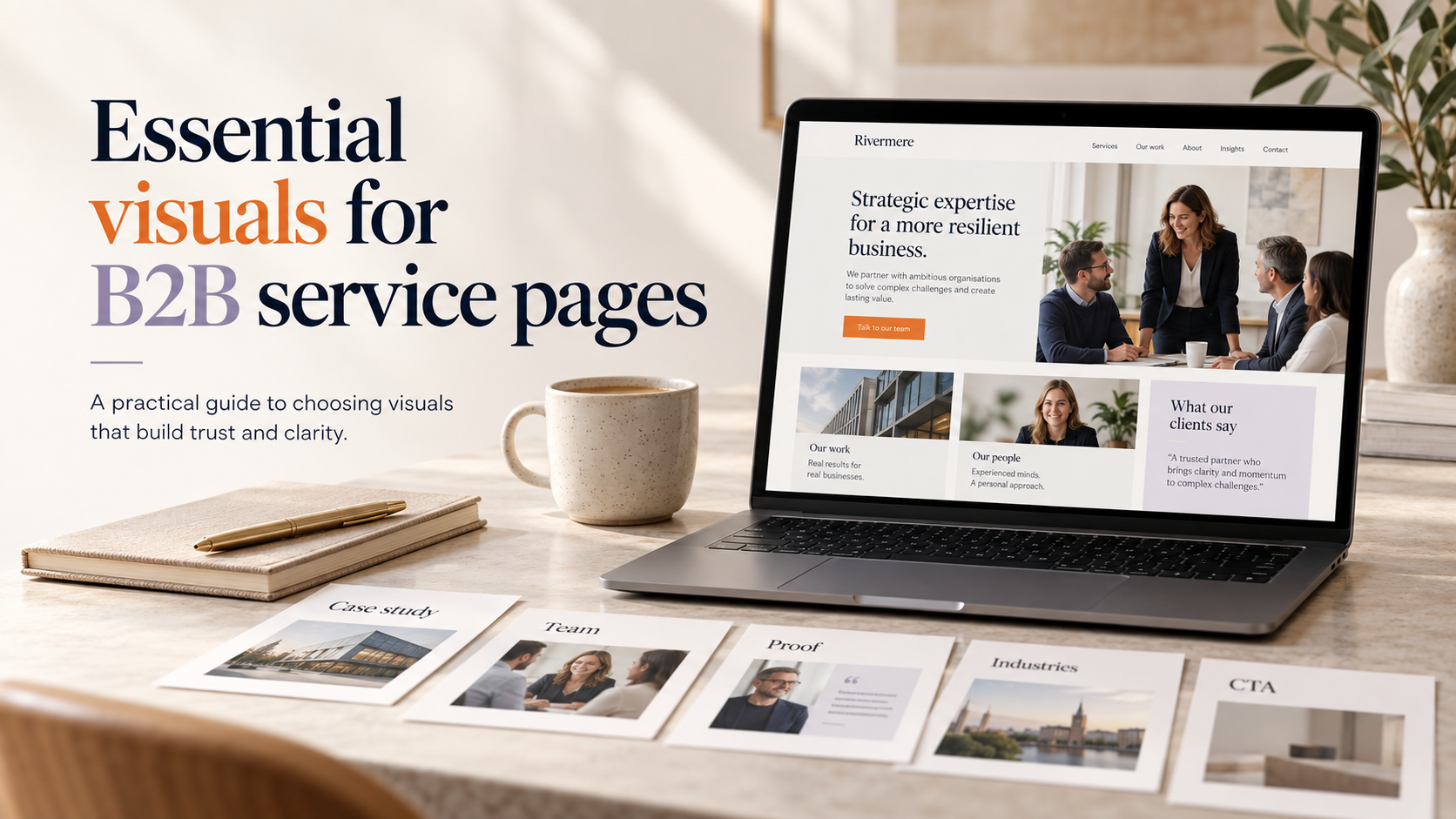
Good visuals do more than decorate a page. For accountants, solicitors and other professional firms a clear visual strategy clarifies services, builds trust and guides visitors toward contact. This article focuses on practical advice and checklists for b2b service page visuals uk, with examples you can apply without a full redesign.
b2b service page visuals uk: Why visuals matter on B2B service pages
First impressions: trust and professionalism
Visitors judge credibility quickly. A thoughtful hero image, professional team photos and consistent icons send signals that a firm is reliable and competent. Poor or generic visuals can undermine carefully written messaging and reduce enquiries.
Supporting messaging and simplifying complex services
Professional services often describe technical work. Images and icons can make complex offerings easier to scan. Use visuals to highlight benefits, show process steps and signpost client outcomes without over-promising.
Common visual pitfalls for professional services websites
- Overused stock photos that feel staged or unrelated to the service.
- Inconsistent styles for icons and illustrations that confuse visitors.
- Large unoptimised images that slow pages on mobile.
Hero images: choosing a lead visual that earns trust
Options: contextual shots, workplace scenes, abstract visuals and client-relationship photography
Choose a hero type that matches your message:
- Contextual shots – an advisor with documents, or a meeting in a boardroom. Good for showing work in progress.
- Workplace scenes – offices or meeting spaces that demonstrate professionalism and a comfortable environment.
- Abstract visuals – graphs, financial motifs or branded shapes where confidentiality or visual simplicity is required.
- Client-relationship photography – handshake, client meeting or handover imagery that emphasises partnership.
Do’s and don’ts: authenticity, diversity and avoiding generic stock clichés
- Do use real people where possible; authentic expressions are more convincing than staged smiles.
- Do represent the diversity of your team and clients appropriately.
- Don’t use low-resolution or overly posed stock images that look like templates.
Sizing, crop and focal point: how the hero should support your headline and CTA
Ensure the hero leaves clear space for the headline and call-to-action (CTA). Position the focal point so that faces or important elements are visible on mobile crops. Use modern formats (for example WebP where supported) and supply responsive sizes to keep the image crisp but performant.
Team photos: how to present people professionally and compliantly
Headshots vs group photos: which to use and when
Use individual headshots on team or people pages where names, roles and short bios help visitors connect. Group photos work well on service pages to show culture or a particular team that will deliver the service. Consider both: a group hero with individual linked headshots below works well for many firms.
Styling, background and consistent framing for brand cohesion
Agree studio settings: neutral or on-brand backgrounds, consistent lighting and framing (head-and-shoulders). Consistency avoids a patchwork appearance and strengthens brand recognition.
Consent, data protection and simple model-release checks for UK teams
Before publishing, confirm each person has consented to use their image. Keep a simple written release and note where photos will appear. For sensitive circumstances or external clients, take extra care and seek legal advice if unsure.
Icons and illustrations: clarity, consistency and meaning
Functional icons for services, processes and benefits
Icons should support usability: use them to represent core services, process steps (onboarding, reporting, review) and benefits (time saved, tax compliance). Map one icon to one concept to avoid confusion.
Visual style choices: line, filled, coloured or monochrome
Pick a single icon style and stick to it. Line icons work well for formal sites; filled or coloured icons can add warmth for client-facing teams. Ensure icons match your wider brand and logo; if you need help, our Custom logo design service can help create a consistent visual language.
Accessibility: labelling icons and avoiding reliance on visuals alone
Always include visible labels for icons and provide accessible text equivalents in the HTML (alt and ARIA labels). Icons should be supportive, not the only way to convey essential information.
Practical checklist: visuals every B2B service page should include
- Hero image: relevant, clear focal point, mobile-safe crop, headline space, responsive sizes.
- Team section: headshots or group photo with names, roles and 1–2 sentence bios.
- Service icons: one per core service or benefit, consistent style and labelled.
- Proof elements: case study thumbnails, client logos (use only with permission) and short testimonials.
- Performance checks: WebP/optimised JPEGs, compressed files, correct srcset for responsive images.
Accessibility, performance and SEO for visuals
Writing useful alt text and descriptive filenames
Alt text should describe function and content (for example: “Senior partner advising client, boardroom meeting”). Avoid keyword-stuffing; make alt text helpful for users who rely on screen readers.
Responsive images (srcset) and lazy loading for speed
Provide multiple sizes via srcset so browsers pick an appropriate image. Use lazy loading for off-screen images to speed initial load, but ensure above-the-fold visuals load promptly.
Permissions, privacy and simple GDPR checks for photos
Keep a record of consent for each person photographed and for use of client logos. If in doubt about data-protection responsibilities, seek appropriate legal guidance.
Sourcing images: in-house photography, stock and illustrations
When to invest in professional photography
Commission photography when visuals are central to trust and differentiation—new branding, partner profiles or high-value service pages. Professional shoots give control over style, diversity and composition.
Choosing credible stock libraries and avoiding clichés
If you use stock, opt for higher-quality, UK-focused libraries and select images that feel natural. Replace generic office hands-and-laptop shots with authentic-looking scenes and varied subjects.
Working with designers for bespoke icons and illustrations
Bespoke icons ensure a unique visual language and help avoid the look of templated sites. If you plan a visual refresh, coordinate icons with your logo and colour palette; consider our Custom logo design offering for cohesive results.
Examples and mini case ideas for accountants and law firms
Accountants: hero concepts, team page layout and icons for services
Hero idea: a staged meeting with a small business owner and advisor, natural light, warm tones. Service icons: Tax Returns, Bookkeeping, Payroll, Financial Planning — each with a short line of copy and a clear CTA to download a one-page service sheet.
For more on layout and trust elements, see our article on designing a lead-capture homepage for accountants, which pairs well with these visual suggestions.
Law firms: imagery that balances authority with approachability
Use portraits of partners with confident but approachable expressions; combine these with subtle courtroom or office context shots. Keep iconography restrained—monochrome or single-colour line icons suit many legal sites. For sector features beyond visuals, our guide on website design for law firms in the UK is a useful reference.
Quick wins: three changes you can make in a single afternoon
- Replace the hero image with a cropped, higher-quality photo that centres the subject away from the edges.
- Add labelled icons for three primary services on the service page.
- Compress images and implement lazy loading to improve page speed.
Next steps and implementation checklist
Quick audit: a 15–30 minute visual review checklist
- Do hero images support the headline and CTA?
- Are headshots consistent in style and labelled?
- Are icons consistent and labelled?
- Are images optimised and responsive?
- Do you have written consent for people and client logos?
Prioritise fixes: what to do first (impact vs effort)
High impact, low effort: replace a poor hero image and add service icons. Medium effort: optimise images and add alt text. Higher effort: commission a photo shoot or bespoke icon set.
When to ask a specialist: commissioning photography or a visual refresh
If you need consistent brand imagery across multiple pages or a full icon set, consider working with designers and photographers. For implementation on WordPress or help with responsive images, our WordPress web design and B2B web design services can assist with build and optimisation. For broader responsive concerns, see our Responsive web design service.
FAQ
What size and format should hero images be for B2B service pages?
Provide multiple sizes via srcset; common large widths are 1600–2400px for desktop with WebP and compressed JPEG fallbacks. Exact dimensions depend on your theme—test cropping on mobile to ensure key elements remain visible.
Should professional firms use team photos or stock images on service pages?
Use real team photos where practical: they build trust. Stock images are acceptable for abstract concepts or when budget/time is constrained, but choose high-quality, natural-looking options and avoid clichés.
How do I write alt text for images on service pages to improve accessibility and SEO?
Describe the image function and content concisely. For decorative images, use empty alt attributes. Do not stuff keywords; prioritise clarity for screen-reader users.
Can icons replace photographs on a professional service page?
Icons can help explain services and processes, but they should not entirely replace photographs that build human connection. Use a balanced combination depending on message and privacy concerns.
What permissions do I need to publish client logos or employee photos on my website?
Obtain written permission for logos and a simple model release for employee photos. Keep records of consent and be prepared to remove images if requested in line with data-protection rules.
If you’d like practical help implementing these visual changes on WordPress or want a visual audit, Request a free consultation with Logo Metic or email support@logometic.co.uk to discuss your project.