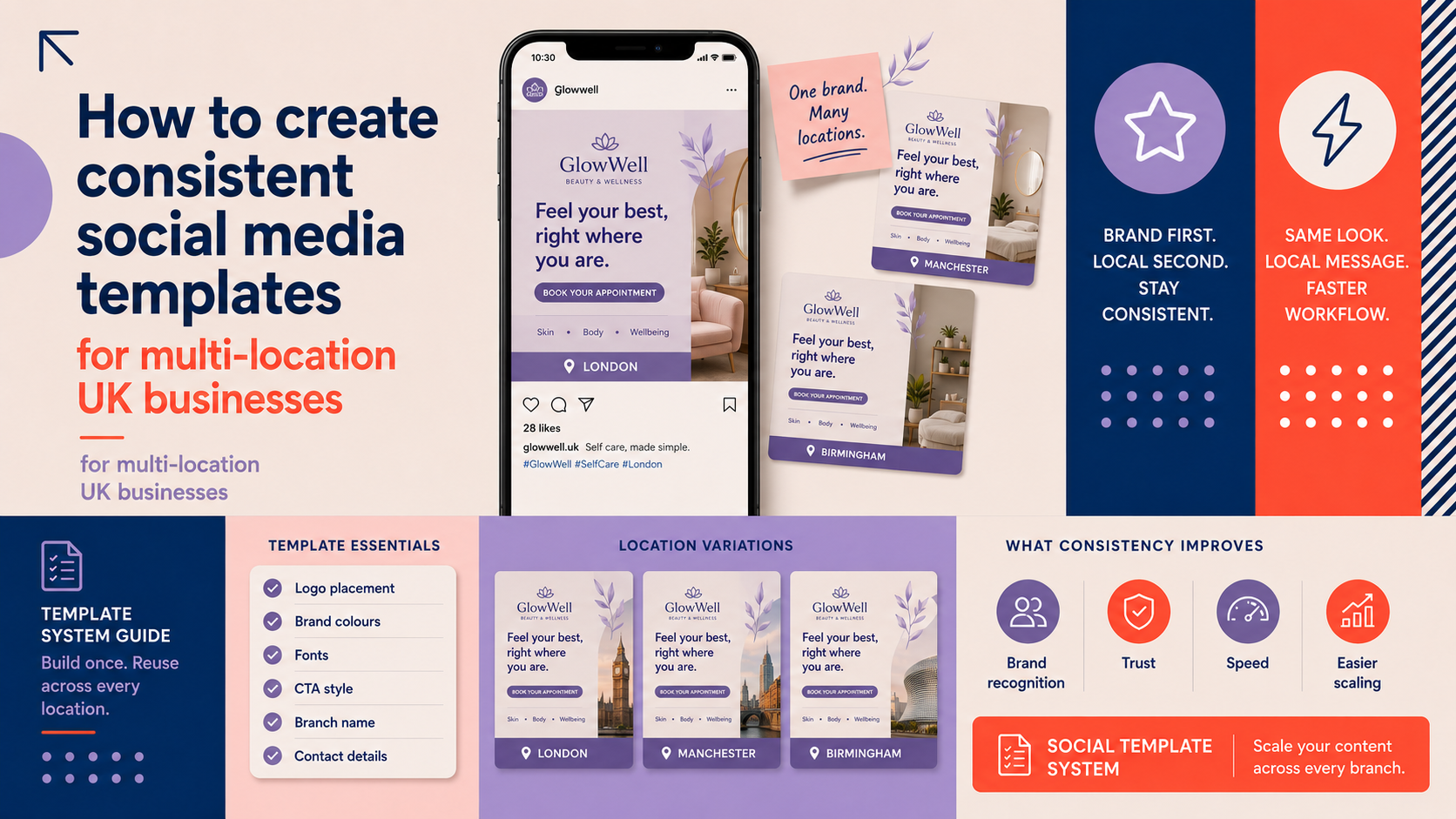
For estate agents with multiple branches across the UK, social media is both an opportunity and a risk. Well-built social templates keep your presence recognisable, speed local posting and reduce compliance errors. This guide explains how to plan, design and govern social media templates multi-location businesses uk can use — balancing brand consistency with local customisation.
Why social media templates matter for multi-location estate agents
Common challenges for chain and multi-office estate agents
Local teams often need to publish quickly: new listings, viewings, offers or market updates. Without templates you get inconsistent fonts, off-brand colours, mixed messaging and slow approval cycles. That harms brand recognition and can erode trust in local markets.
Key benefits: brand recognition, operational efficiency and local SEO support
- Consistent visuals build trust across branches and make posts instantly recognisable.
- Templates reduce time-to-post, freeing local teams to focus on enquiries.
- Localised templates that use office-specific contact details and local keywords help direct enquiries to the right branch and support local search intent.
Define your template system before designing
Identify post types to standardise
Start by listing the common post types you want templates for. Typical estate agent set:
- New listing / featured property
- Open house / viewing announcement
- Agent introduction / spotlight
- Local market snapshot or statistics
- Client testimonial or case study
- Seasonal or national campaign posts
Decide which elements are fixed vs localisable
Agree central rules so designers and local teams work to the same brief. Typical split:
- Fixed: logo versions, primary typefaces, core colour palette, tone of voice, layout grid.
- Localisable: office name, phone number, agent photo and name, local offers, local hashtags and postcode-specific copy.
If you need help defining fixed brand elements, consider a professional review with our Brand Identity Design service.
Create a template naming and versioning convention
Use clear file names: e.g. listing_fb_1080x1080_v1_London.doc or market_snapshot_ig_story_v2_Manc. Include the date and version number. Keep a single source of truth for editable masters.
Essential design elements for effective templates
Branding elements: logo placement, clear typography and consistent colour palette
Design templates so the logo is visible at typical social safe zones and never cropped. Use at least one primary and one neutral typeface across templates and limit typographic styles to two weights for clarity. For logo updates or optimisation for avatars and tight spaces, our Custom Logo Design service can help.
For animated logo use in video posts, see our article on Benefits of Animated Logo: How Logo Animation Improves Social Media and Video Branding — subtle animation can improve engagement when used sparingly.
Image and layout rules: photo crops, safe zones and aspect ratios
Set clear rules: always use full-width photography where possible, avoid overlaying important facial features with text, and provide recommended crops for different aspect ratios. Create logo and avatar variants that work inside circular crops and tight safe zones; if you need logo versions optimised for small spaces, see our Custom Logo Design offering.
Calls to action and local contact placement
Every local post should include a clear, consistent CTA and local contact. Place phone number, office name and a short link or UTM-tracked URL in the same position on each template so followers know where to look. If local landing pages need improvement, coordinate with your web team or our WordPress Web Design service to ensure enquiries convert.
Accessibility and legibility checklist
- Ensure contrast between text and background is sufficient for readability.
- Prefer 16px (or equivalent) readable sizes on exports; test at device scale.
- Keep text blocks short; avoid placing long paragraphs over images.
How to localise templates without breaking the brand
Permitted local changes
- Office contact details, local offers, agent name and photo, local hashtags and short copy that references the area.
- Local imagery — provided it follows crop and quality rules.
Prohibited changes
Do not allow local teams to change the logo, primary colours or approved typefaces. For guidance on formal brand rules, and to set up robust brand guidelines, see our Brand Identity Design service.
Examples: localised listing post vs national campaign post
Listing post (local): large property image, headline, local price, office phone and CTA. National campaign (central): standard hero image, campaign strapline, central URL and no local phone number.
Technical specs and platform considerations
Recommended file formats and editable sources
Provide editable masters in Figma or Canva for ease of local use. Also supply high-resolution PNG/JPEG exports for immediate posting. Keep layered PSDs for complex edits if needed.
Common aspect ratios and image size recommendations
Keep a short reference list for teams. Verify current platform guidance when you create templates, and include ready-made exports for each ratio so teams do not need to resize.
Optimising file sizes and naming for easy distribution to local teams
Compress exports to balance quality and upload speed. Use descriptive filenames that include office and asset type. For best practices on asset management and optimisation, review technical workflows similar to web asset guidance such as our E-commerce Store Design notes on image optimisation.
Template governance and handover workflow
Roles and responsibilities: central brand team vs local social managers
Define clear roles: the central brand team creates and approves masters; local social managers adapt permitted fields and schedule posts. If you need help deciding whether to centralise social management or train local staff, see our decision guide Should a Small Business Hire a Social Media Manager?
Approval checklist and version control
- Every template has an approval checklist: correct logo, approved colour, accessibility check, link and contact verified.
- Use version numbers and a changelog. Only the central team should publish major version updates.
Distribution methods: shared asset libraries, CMS or Canva teams
Use a shared library (Canva teams, Figma organisation, or a central CMS) so local users always access the latest masters. Pair distribution with a content calendar. Our social media content calendar for small business uk: monthly social media plan template can support scheduling and handover planning.
Practical examples, starter templates and checklist
Starter set
- Listing post — square and story sizes.
- Open house — countdown story and reminder post.
- Agent spotlight — portrait layout with contact bar.
- Testimonial — quote block with client initials and blurred background.
- Market snapshot — simple data visual tailored to the local office.
Template checklist for designers and local teams
- Use approved master file.
- Confirm permitted fields only are edited.
- Run accessibility contrast check.
- Verify contact details and local landing page URL.
- Export to recommended sizes with appropriate filename.
Quick examples tailored for estate agents
Example: a Brighton office posts a market snapshot using the market_snapshot template, replaces the location name and local average price, keeps the brand colours and logo, and links to the Brighton branch landing page.
Measure, iterate and scale your template system
Simple KPIs to monitor
- Engagement (likes, comments, shares) for template-based posts versus ad-hoc posts.
- Number of local enquiries attributed to social posts (use UTM tags).
- Post frequency and time-to-publish for local teams.
Improving local landing pages will help convert enquiries — consider a review with our WordPress Web Design team if landing pages are underperforming.
Collecting feedback from local teams and adjusting templates
Run quarterly workshops with local managers to review performance and pain points. Maintain an ideas log and schedule controlled A/B tests when you change layout or CTA wording.
When to refresh templates
Refresh templates after a brand update, major platform change, or seasonal campaign. Keep the central team responsible for rollouts and training.
FAQ
How do I balance brand consistency with local offers in multi-location social templates?
Define which fields are editable at a local level and which are locked. Allow local offers in a defined space and require approval for anything that changes tone or legal terms.
Which parts of a social template should be editable by local offices?
Editable parts typically include contact details, agent name/photo, local price or offer text and local hashtags. Core branding elements should remain fixed.
What file formats and tools are best for distributing templates to local teams?
Provide editable masters in Figma or Canva, plus ready-to-post PNG/JPEG exports. Maintain a central library and clear naming conventions.
How often should we update social templates for estate agents?
Minor tweaks can be quarterly. Major updates should follow brand changes or platform shifts. Schedule reviews and gather local feedback before wide rollouts.
Can templates help improve local SEO and enquiries for each branch?
Yes. Localised copy, consistent contact details and links to dedicated local landing pages can help direct enquiries and improve user relevance. Use UTM tags to measure impact.
Ready to get started? If you want help defining brand rules or building a set of editable social templates for your offices, request a free consultation with Logo Metic to discuss your project.