Introduction
A social media content calendar small business uk owners can actually use is a one-page plan that schedules what to post, where and when across a month. For busy teams and sole traders it removes guesswork, keeps messaging consistent and makes campaigning around UK events straightforward.
What is a social media content calendar?
It is a simple, dated schedule that maps content types, captions, assets and posting times across your chosen platforms. Think of it as a working plan you adapt each month rather than a rigid editorial calendar.
Why a monthly social media plan matters for small businesses in the UK
A monthly plan fits the rhythm of retail promotions, bank holidays and local events in the UK. It balances day-to-day engagement with longer-term objectives like awareness, leads or sales.
What you’ll get from this template guide
This guide gives a step-by-step build, a copyable monthly grid, weekly examples for a small retail business, caption prompts, image and hashtag checklists, tool suggestions and simple review checklists to keep improving.
Why your small business needs a social media content calendar
Save time and reduce last-minute stress
Batching posts and scheduling them ahead stops you hunting for last-minute images or captions. A set template for each week speeds content creation and frees time for customer service.
Maintain consistent branding and messaging across channels
Use a calendar to ensure visual and verbal consistency. If you need a clearer logo or brand guide to help social posts look professional, consider professional custom logo design services to create consistent assets for your templates.
Improve engagement and customer service responsiveness
Scheduling regular content makes it easier to allocate time for replying to comments and messages. A predictable cadence also trains your audience to expect updates.
Plan around UK seasonal and local events
Bank holidays, local festivals and retail dates should be visible in your monthly grid so you can plan promotions, staffing and stock accordingly.
How to build a monthly social media plan (step-by-step)
Step 1: Set clear social goals (awareness, leads, sales, community)
Decide what success looks like for the month. Typical goals are awareness (reach), community (engagement), leads (form fills) or direct sales (transactions). Each goal needs different post types and CTAs.
Step 2: Choose the right platforms for your audience
Start with where your customers spend time. For many UK small businesses that will be Facebook/Meta, Instagram, LinkedIn (B2B) and X for quick updates. Don’t try to be everywhere; do fewer channels well.
Step 3: Define 3–5 content pillars
Pick a small set of pillars (for example: Products, Behind the Scenes, Customer Stories, How-to, Local/Events). A clear set of pillars makes planning easier and keeps your feed varied. If you need help defining tone, colour and imagery, a complete brand identity will provide the guidelines that inform your pillars.
Step 4: Decide post frequency and ideal posting windows (UK context)
Choose realistic frequencies — for example, 3 posts a week on Facebook, 3–5 on Instagram, 2 on LinkedIn. Test posting windows that suit UK routines: early morning commute, lunchtime and early evening are common windows to try, then refine using analytics.
Step 5: Allocate formats (image, video, Stories, links)
Match pillars to formats: product launches = short video or carousel; how-to = short video or step images; local events = Stories and realtime posts. Plan one video per week if possible; video typically drives higher reach.
Step 6: Create a content bank and batch-create assets
Maintain a folder of product images, staff photos, templates and caption swipes. Batch photo sessions and draft captions in blocks to save time during the month.
Monthly content calendar template (practical example)
Sample monthly grid (week-by-week breakdown)
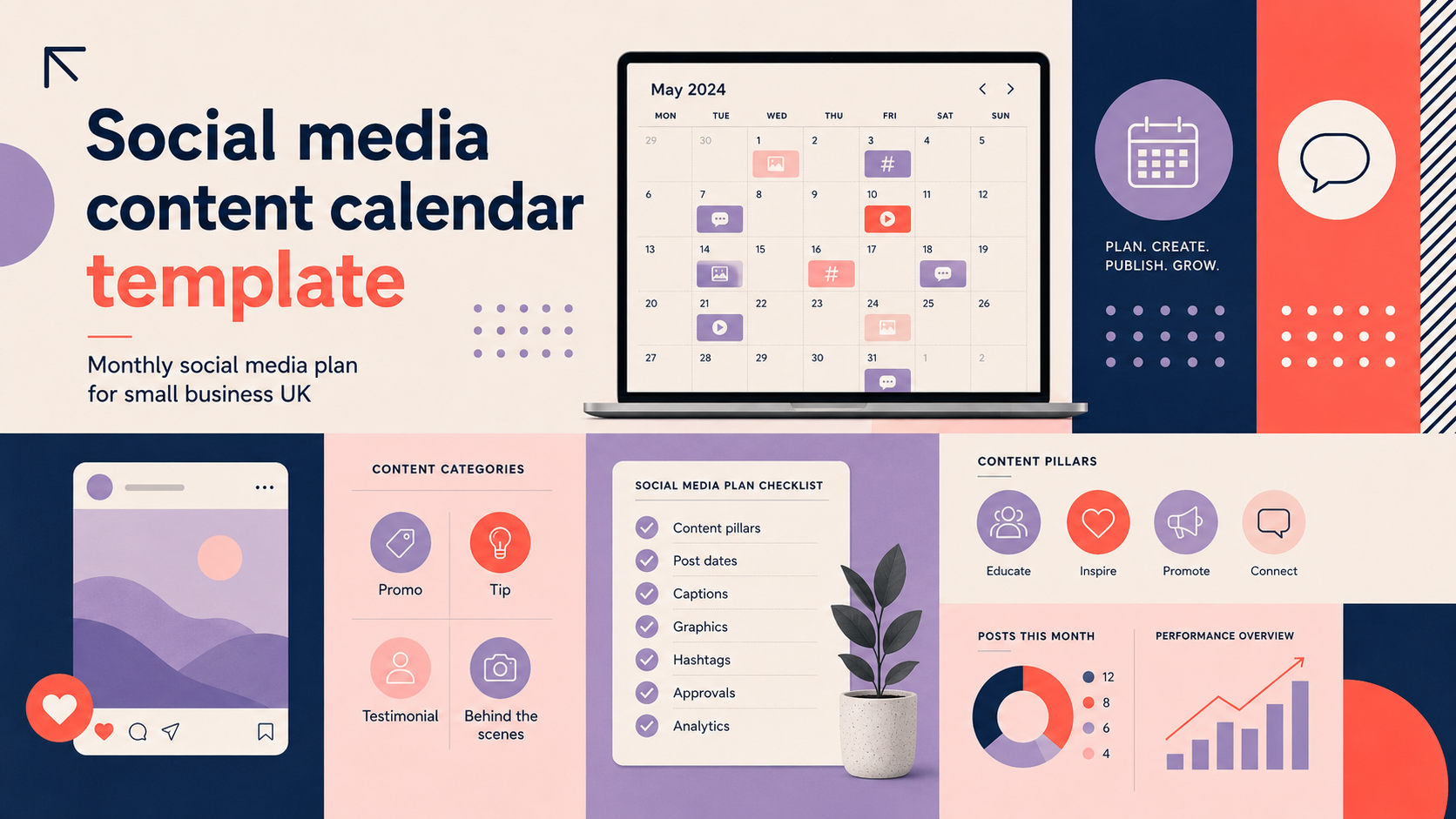
Use a simple 4-week grid. Each week assign days for pillar types and format. Example structure:
- Week 1: Product highlight, How-to, Local event post
- Week 2: Customer story, Behind the scenes, Promotion
- Week 3: New arrival, Tips, Community question
- Week 4: Best-sellers roundup, Live/Story, Monthly offer
Example weekly schedule for a small retail business
Copy this weekly plan and adapt each month:
- Monday: Product image + short caption + link to product page (drive to a tailored WordPress website landing page).
- Wednesday: Behind the scenes / staff story (Stories and feed)
- Friday: Promotion or offer with clear CTA (if selling online, ensure product pages and checkout are in good order; consider e-commerce store design for complex stores).
- Weekend: Engagement post or local event highlight.
Post copy prompts and caption templates
Use short, direct captions with one clear CTA. Keep the first line engaging, use one or two emojis sparingly and finish with the action you want (visit, book, message).
Image and hashtag checklist for each post
- High-resolution image (mobile-friendly crop)
- Brand colours and logo placement consistent
- Alt text for accessibility
- 3–8 targeted hashtags (local + niche + campaign)
Tools and resources to manage your calendar
Scheduling and publishing tools
Use native publisher tools where possible for reliability. For multi-channel scheduling choose a tool that supports your platforms and required formats. When driving social traffic, double-check that your site has the essential pages to receive that traffic by reviewing what pages does a small business website need.
Content planning and asset libraries
Use cloud folders with clear naming conventions and a shared spreadsheet for captions and scheduled times.
Basic analytics to track weekly and monthly performance
Track reach, engagement rate, clicks and conversions tied to your monthly goals. Review these weekly to spot trends and adjust posting times or formats.
Free UK-focused resources and calendar reminders
Add UK bank holidays and key retail dates to your calendar and plan promotions or closures ahead of time.
Weekly and monthly checklist
Weekly tasks (engage, schedule, monitor)
- Schedule next week’s posts and verify asset links
- Respond to comments and DMs daily
- Monitor top-performing posts and note patterns
Monthly review checklist (what to measure and adjust)
- Compare performance against monthly goals
- Adjust posting windows and formats based on data
- Refresh content bank and plan next month’s promotions
Quarterly review suggestions (refresh pillars and goals)
Every quarter revisit your pillars, imagery and tone. If your performance plateaus it may be time for a brand refresh or new campaign direction.
Common mistakes and how to avoid them
Posting without a cohesive brand voice
Use a short brand voice guide (tone, common phrases, persona) to keep posts consistent.
Over-relying on one content format
Vary formats so your audience sees fresh content — combine photos, video, Stories and text posts.
Ignoring analytics and audience feedback
Let the data guide adjustments. Small changes to time or format can improve results.
Failing to plan for UK seasonal peaks and holidays
Mark bank holidays, school terms and local events in your calendar to avoid last-minute gaps or clashes with store opening hours.
Quick templates and copy swipes
5 caption templates for promotions, stories and engagement
- Promotion: “Limited time: 20% off [product]. Use code SPRING20. Shop: [link]” — include a clear expiry.
- Product tease: “New in! Meet [product name]. Tap to see more or visit [link].”
- Behind the scenes: “A quick look at how we [process]. What would you like to see next?”
- Engagement question: “Which colour would you choose — A or B? Vote below!”
- Customer story: “Thanks to [customer name] for this photo. Hear their story: [short quote].” — tag the customer where possible.
If you need a refreshed logo to sit on promotional templates, book a custom logo consultation.
CTA examples adapted for small businesses
- “Shop now” for e-commerce posts
- “Book a slot” for services
- “Message us” for quick enquiries
Simple Google Sheets calendar layout (columns to include)
- Date | Platform | Pillar | Copy | Asset filename | Post time | Link | Status
When to get professional help
Signs you should outsource design or strategy
If your site struggles to convert visitors, or your visuals lack consistency, consider external help. Use the WordPress website design checklist to assess readiness, and read signs your business website needs a redesign before launching a large social campaign.
Which agency services help with social media (branding, website landing pages)
Agencies typically help with brand identity, creative assets and landing pages. If your social plan needs a full visual refresh, consider discussing a discuss a complete brand identity package to ensure consistency across posts and landing pages.
How to prepare before you request a consultation
Gather examples of posts you like, recent analytics, and a clear statement of your monthly goals to make the consultation productive.
Resources and next steps
Download checklist and calendar template (instructions to copy the template)
Copy the simple Google Sheets layout above into a new sheet and duplicate for each month. Keep one tab for assets and one for scheduled posts.
Suggested next steps for UK small businesses
Start by planning one month using this template, batch-create assets for two weeks and schedule posts. Review weekly and adjust based on engagement.
Contact details for further help
If you would like support building landing pages or improving your site to receive social traffic, request a WordPress website consultation or email support@logometic.co.uk for a free initial conversation.
FAQ
What is a social media content calendar and why does my small business need one?
It’s a dated schedule of planned posts. It helps small businesses stay consistent, save time and align posts with promotions and local UK events.
How do I create a monthly social media plan for a UK small business?
Set clear goals, pick platforms, define 3–5 pillars, choose frequency, assign formats and batch-create assets. Use the sample grid earlier in this guide to get started.
How often should a small business post on different platforms in the UK?
Start small and consistent: 3 posts a week on Facebook, 3–5 on Instagram and 1–2 on LinkedIn is a common approach. Adjust based on your audience and analytics.
Which tools work best for scheduling and reporting a monthly social media calendar?
Native publisher tools or third-party schedulers that support your platforms and formats are suitable. Check each tool’s current capabilities and pricing before committing.
How do I measure whether my monthly social media plan is working?
Measure against your chosen goals: reach for awareness, engagement rate for community, clicks and conversions for leads and sales. Review weekly and refine monthly.
Request a free consultation with Logo Metic if you want help with brand assets, landing pages or social strategy. Email support@logometic.co.uk or call +44 7883 180004 to discuss your project.