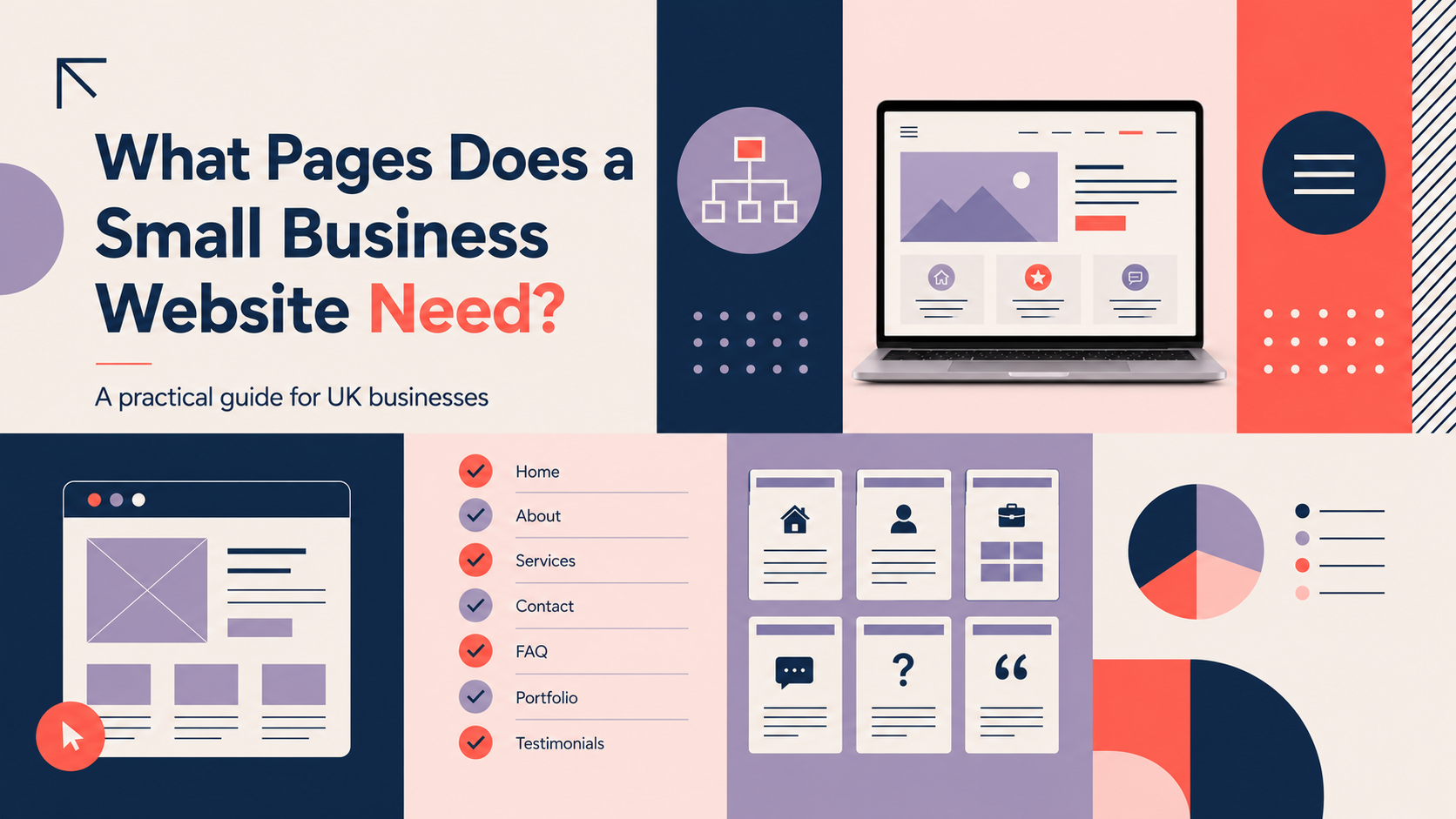
Choosing the right pages is one of the first decisions when building a site. This guide explains the essential pages for small business website owners in the UK, how to prioritise them and what each page must achieve. You will leave with a clear, prioritised list and a practical checklist to plan your content, assets and launch tasks.
Key considerations before you choose pages
Identify your primary audience and top user journeys
Start by listing who you expect to visit the site (customers, partners, suppliers) and the most important journeys (find info, request a quote, buy a product, book a service). Map 2–3 core journeys and design pages to support them.
Define business goals: enquiries, sales, sign-ups or bookings
Be explicit about your main conversion. A lead-generation site needs prominent contact routes and service pages; an online shop needs product and checkout pages. Avoid creating pages that don’t move a visitor towards a clear goal.
Match pages to conversion stages (awareness → consideration → decision)
Think about which pages help at each stage: blogs and guides attract awareness, service pages cover consideration, and contact or product pages drive decision. Structure content so it supports progression between these stages.
Content, budget and maintenance constraints to consider
Be realistic about what you can maintain. Each page needs copy, images and occasional updates. Prioritise must-have pages for launch and schedule ‘nice-to-have’ pages for later.
Essential pages for small business website
Homepage: purpose, key elements and quick checklist
The homepage should quickly explain what you do, who you serve and how visitors can take the next step. Include a clear headline, a short services overview, a primary call to action and social proof (brief testimonial or client logo).
- Checklist: clear headline, primary CTA, 2–4 service highlights, trust signal, contact link.
About us: what to include to build trust
Use the About page to explain your experience, values and what sets you apart. Keep it human: a short team intro or photo, a sentence on approach, and a line about credentials or memberships where relevant.
Services / Products overview page: how to present offerings
Provide a single overview page that summarises your main services or product ranges. Use short blocks that link to individual service or product pages for detail.
Individual service or product pages: why detail matters
Each service or product should have its own page with benefits, features, pricing (if appropriate), frequently asked questions and a clear next step. Detail reduces enquiry friction and improves search visibility.
Contact page: must-have contact options and micro-conversions
Include at least one phone number, an email address or contact form, and your business address if you serve a local area. Add micro-conversions such as a short callback form or appointment booking to lower the barrier to contact.
Pages for credibility and conversion
Testimonials and client quotes: placement and format
Collect short, specific quotes that focus on results or experience. Place them on the homepage, services pages and a dedicated testimonials page if you have many.
Case studies or project pages: structure and outcome-focused copy
Case studies are powerful for B2B and professional services. Use a simple structure: the brief, your approach, the outcome and a direct quote. Include visuals and an estimated timeline where useful.
Portfolio or gallery pages for creative businesses
Visual businesses should showcase high-quality images with short captions explaining the project and client. Keep loading speed in mind — use optimised images.
Team or meet-the-team pages to humanise your brand
Brief bios and photos help build trust. Include roles and a note on how each person helps clients, especially for professional services.
Content and resource pages to support SEO
Blog or news: topics, frequency and SEO focus
Useful content attracted by search engines answers the questions your customers ask. Plan topics around common queries, local terms and industry issues. Start small and publish consistently rather than aiming for high frequency with poor quality.
Guides & resources: longer-form content to capture interest
Guides can capture customers earlier in the buyer journey. Use them to explain processes, compare options and link to your services pages.
FAQ pages: common questions, schema and internal linking
Collect repeated customer questions and provide clear answers. An FAQ page reduces support time and supports featured snippets when paired with structured data.
Landing pages for campaigns and targeted services
Create focused landing pages for specific services, promotions or locations. These pages are easier to optimise for search and for paid campaigns.
Ecommerce-specific pages (if you sell online)
Product pages: descriptions, images, variants and trust signals
Product pages need concise, benefit-led descriptions, good-quality images, clear pricing and stock information. Include reviews, delivery estimates and an easy returns link to reduce purchase hesitation.
Category pages and filters: helping users find products
Organise products into logical categories and provide filters for size, colour, price and other attributes to speed up discovery.
Cart and checkout pages: conversion optimisation tips
Minimise steps and required fields. Show clear shipping costs and trust marks at checkout. Provide guest checkout and progress indicators to reduce abandonment.
Shipping, returns and refunds pages: transparency to reduce enquiries
Clearly explain delivery times, costs and your returns policy. Transparent policies reduce post-purchase enquiries and improve customer confidence.
Payment and security information, and consumer rights notes
List accepted payment methods and reassure customers about payment security. For more detailed ecommerce support, consider professional e-commerce web design and development tailored to your needs: e-commerce web design.
Legal, privacy and accessibility pages (UK requirements)
Privacy policy: what to cover for UK GDPR and ICO expectations
Your privacy policy should explain what personal data you collect, why you collect it, how long you keep it and the legal basis for processing. Use clear language and keep the policy easy to find.
Cookie policy and consent banner: practical implementation notes
Implement a cookie banner that lets users opt into non-essential cookies. Ensure the cookie policy explains the cookies used and how to change preferences.
Terms & conditions: when you need them and common clauses
Terms are important for online sales, booking terms and membership services. They should cover cancellation, liability limits and payment terms. Seek legal advice for bespoke clauses.
Accessibility statement: basics and signposting to improvements
Publish an accessibility statement describing the site’s current accessibility status, known issues and how users can request assistance. WCAG guidance provides a useful framework and you should consider reasonable adjustments under the Equality Act.
Technical pages and SEO essentials
XML sitemap and robots.txt: why they matter
Provide an XML sitemap to help search engines index your important pages and use robots.txt carefully to avoid blocking content you want found.
404 page and redirects: retain users and preserve SEO
Create a helpful 404 page that offers a search box and links to key pages. Implement 301 redirects when you remove or rename pages to preserve SEO value.
Structured data and metadata basics for key pages
Add page titles and meta descriptions to all pages and consider structured data for products, events and FAQs to improve search appearance.
Mobile-friendly design and site speed considerations
Prioritise mobile usability, compress images and use caching to improve load times. For a practical checklist tailored to WordPress sites, see the WordPress website design checklist for UK small businesses.
How to structure your site: navigation and hierarchy
Primary navigation vs footer links: what to include where
Keep primary navigation focused: Home, Services/Products, About, Contact and Blog (if applicable). Use the footer for legal pages, social links and less-frequented resources.
Siloing services and content for clearer journeys
Group related services under a single parent page and link naturally between related content. This improves user journeys and helps search engines understand your site structure.
URL structure and naming best practice (SEO-friendly)
Use short, descriptive URLs (example: /services/web-design/). Avoid long query strings for key content pages.
Calls to action: placement and examples
Primary CTAs should be visible on the homepage and service pages. Use action-oriented text such as “Request a quote”, “Book a consultation” or “Buy now”.
Practical checklist: planning your website pages
- Priority list: identify must-have pages (homepage, services, contact, privacy) and nice-to-have pages (case studies, blog, team).
- Content required: copy, images, testimonials, CTAs and metadata for each page.
- Pre-launch checks: legal pages, analytics, sitemap, mobile testing and redirects.
- Post-launch: schedule content updates, backups and regular security checks.
Next steps: building and maintaining your site
Choosing a platform and developer: pros and cons
Consider ease of use, flexibility and maintenance costs. WordPress suits many small businesses because it balances flexibility, available themes and plugin options.
Using WordPress for small business sites: when it suits you
If you want control over content, a wide selection of plugins and a platform that scales, WordPress is a sensible choice. For expert help building or migrating a site, explore our WordPress web design services.
Ongoing updates, backups and security
Plan regular content updates, plugin and theme maintenance, scheduled backups and a basic security setup to reduce risk.
When to request professional help and what to ask for
Ask a professional when you need custom functionality, improved conversions or to save time. Share your site goals, priority user journeys and any technical constraints when you request proposals.
FAQ
What are the essential pages every small business website needs?
At minimum: homepage, about, services/products overview, individual service or product pages, contact, privacy policy and cookie information. Add testimonials and a simple blog if you can maintain them.
Do I need a privacy policy and cookie banner for my UK website?
Yes. A privacy policy is required under UK data protection rules and a cookie banner is needed to obtain consent for non-essential cookies. Seek legal guidance for complex processing activities.
How many pages should a small business website have when starting out?
Start with 6–10 pages: homepage, about, services (or products), contact, privacy/cookie, and one or two credibility pieces (testimonials or a case study). Expand as business needs grow.
Can I use a one-page website and add pages later as the business grows?
Yes. A one-page site can work for simple offering and tight budgets. Plan the structure so you can add separate pages later for services, blog and legal content without disrupting navigation.
What pages help improve my site’s search engine visibility?
Well-structured service or product pages, a blog or guides that answer customer queries, and properly configured technical pages (sitemap, metadata and structured data) all help organic visibility.
If you would like help planning or building the right pages for your business, Request a free consultation with Logo Metic. For a professional WordPress build or migration, see our WordPress web design services.