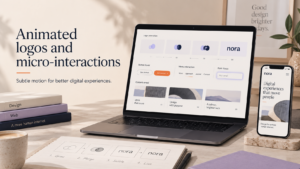
Short product videos need to grab attention fast. This guide explains practical intro animation specs ecommerce uk teams should use for 3–6 second intro animations, and supplies ready-to-use template ideas, export settings and platform-ready presets for small ecommerce teams across the UK.
Why short intro animations matter for ecommerce videos
Brand recognition in under 6 seconds
A brief intro gives every clip a recognisable start without wasting viewer attention. A consistent animated logo or short brand reveal helps viewers associate product clips with your store when they scroll quickly on mobile feeds.
Best use cases: product clips, social reels, paid ads and product pages
Use a 3–6 second intro for social reels, paid social creatives, short product demonstrations and before a product page video. They work particularly well when you use the same intro across channels to build visual familiarity.
For more on why animated logos improve recognisability, see our article on How logo animation improves social media and video branding.
When not to use an intro (UX and conversion considerations)
Skip an intro when the video is the primary conversion driver on a product page and every second of attention matters. Also avoid long intros on support, tutorial or error-condition videos where immediate information is needed.
Choosing the right length: 3, 4, 5 or 6 seconds?
When to choose 3 seconds (fast-paced social placements)
Three seconds suits fast-scrolling feeds (TikTok, Instagram Reels) and paid ads where you want an instant stamp of brand before the clip begins. Keep motion simple: logo reveal, quick colour wipe, or a 1–2 element mark reveal.
When to choose 4–5 seconds (product showcases and ads)
Four to five seconds gives more space for a short tagline or product context alongside the logo. Use this length for product showcase videos where you want a little breathing room before the product cutaway.
When 6 seconds is useful (brand emphasis without harming watch time)
Six seconds suits campaigns where brand recall is a priority — for example, new collections or seasonal promotions. Avoid complex animation: at this length, clarity beats ornament.
Checklist: how to test intro length quickly
- Create three versions (3s, 4s, 6s) of the same intro.
- Upload each to the target channel as part of identical ads or posts.
- Run a short A/B test on engagement metrics (views to 3s, click-throughs) for 3–7 days.
- Check product page bounce/scroll behaviour when intros are used on PDPs.
Design basics for short intros
Readable logo lockups and safe zones
Use a simplified logo lockup for short intros: remove fine detail and ensure a clear safe zone so the mark remains legible on small mobile screens.
If you need help aligning your animated intro with a wider visual system, consider discussing a complete brand identity with our team: Discuss a complete brand identity.
Typography and contrast for small-screen viewing
Limit text to one short word or tagline. Use high contrast between text/logo and background. Avoid thin strokes that disappear on low-brightness phones.
Animation speed, easing and avoiding visual clutter
Prefer simple motion with purpose: scale, opacity fades and short slides. Use easing to make motion feel natural but avoid long, decorative sequences that waste time.
Use of sound and silent autoplay considerations
Assume autoplay will be muted. Design intros to work silently and add optional short audio that does not convey essential information. If you include music, ensure you have appropriate licence for commercial use.
Intro animation specs ecommerce uk: export specs and quick-start presets
Universal export recommendations (codec, frame rate, colour)
- Codec: H.264 for broad compatibility; H.265 can be used where supported to reduce file size.
- Container: MP4 for social and ecommerce embeds; WebM can be used for faster loading on modern browsers.
- Frame rate: 30 fps for most social placements; match source footage if combining with a 24 or 25 fps product clip.
- Colour: sRGB / Rec.709. Avoid wide-gamut exports that platforms may compress unpredictably.
Instagram Reels & Facebook/Meta placements — aspect ratios and max file sizes
Recommended aspect ratio: 9:16 for Reels (vertical). For feed and stories check platform uploader for current size limits; keep files small by using H.264, hardware acceleration and 18–28 Mbps VBR for short clips.
TikTok — recommended settings and common pitfalls
Use vertical 9:16 and 30 fps. Avoid long intro black frames — TikTok may crop or add automatic thumbnails. Keep file size under platform limits and test autoplay appearance.
YouTube Shorts and product page videos — file requirements
YouTube Shorts prefers vertical 9:16 and MP4/H.264. For embedded product page videos, consider offering a landscape or square version depending on your layout and hosting constraints.
Shopify and other ecommerce thumbnails / embedded videos
Host product videos via Shopify’s native uploader or via a CDN. For autoplay on product pages, provide a short MP4 poster and a muted version for autoplay. Check that your theme supports autoplay and lazy-loading to avoid performance issues.
Template examples and file naming conventions
Three quick templates: rapid reveal, product-focus vignette, logo stamp
- Rapid reveal (3s): Quick scale + opacity logo reveal on brand colour background. Use for social ads and thumbnails.
- Product-focus vignette (4–5s): Short colour wipe revealing the product shot, with logo tucked in a corner for 1–2 seconds before full product cut.
- Logo stamp (6s): Soft motion of logo lockup with a short tagline and gentle background animation for brand emphasis.
Recommended layer organisation for faster edits
- Top: Logo and text layers.
- Mid: Motion graphics and masks.
- Bottom: Background colour/image and frame guides.
File naming and version control for multiple SKUs
Use clear file names: [brand]_[template]_[length]_[platform]_[version]. Example: acme_logoStamp_03s_IGR_v01.mp4. Keep a single source project file and export versions from that master to avoid inconsistencies.
If you need bespoke animated logo templates or export presets, consider a tailored brief and support: Request a custom logo consultation.
Implementation: adding animated intros to ecommerce platforms and social schedulers
Appending vs embedding intros in social uploads
Appending: bake the intro into each final video. Simpler for scheduling and avoids player behaviour differences.
Embedding: upload intro as a separate clip and rely on platform stitching — less reliable across channels and can be trimmed by algorithms.
Using intros in Shopify product galleries and PDPs
For Shopify, add the muted MP4 to your product media and set the theme to autoplay or show as a poster thumbnail. If your store needs more advanced video handling or theme tweaks, we can help: Discuss your ecommerce store project.
Optimising for lazy-loading and mobile-first pages
Serve smaller vertical or square versions on mobile, use lazy-loading and provide an MP4 poster image to avoid layout shifts. Follow the principles in our Mobile-first product page checklist for UK ecommerce stores when placing videos on PDPs.
Scheduling and A/B testing using social scheduling tools
Export platform-specific versions and use scheduling tools to rotate tests. Track short-run engagement metrics and iterate on intro length and thumbnail choices.
Accessibility, performance and legal checks
Silent playback, captions and accessible alternatives
Provide captions or a short visible tagline for accessibility since many users watch muted. Offer a text alternative or image for assistive technologies on product pages.
Optimising file size without visible quality loss
Use VBR encoding, modest bitrate targets and short durations to keep files small. Test on real devices on both 4G and Wi‑Fi to check perceived quality.
Copyright and music licensing basics for UK businesses
Only use music and sound effects that are cleared for commercial use. If unsure about licensing, obtain tracks from reputable royalty-free services or commission bespoke stings.
Quick checklist: production to export (for a 3–6 second intro)
- Design & brand checks: simplified lockup, safe zones, readable type, silent-first design.
- Export & naming checks: MP4 H.264, 30 fps, sRGB, correct aspect ratio, clear filename.
- Platform upload checks: ensure autoplay/muted behaviour, thumbnail selection, file size under limits.
- Post-upload QA: view on multiple devices, check mute behaviour, captions and load speed.
When to ask a specialist: animated logo and brand identity help
Signs you need a custom animated logo or brand refresh
If your logo contains fine detail, complex colour blends, or you need multiple aspect lockups and export presets, a specialist can deliver optimised files and templates for fast deployment.
What to expect from a short consultation
A short consultation will cover deliverables (template lengths, file formats), brand rules (safe zones, type), and export presets for each platform to save time for your team.
How templates and agency support can save time for small teams
Working with an agency speeds production and ensures consistent files and naming conventions. If you’d like practical support, Request a custom logo consultation (template & export support).
Need help with embedding on WordPress?
If your product pages are on WordPress we can assist with embedding, lazy-loading and performance optimisation: Request a WordPress website consultation.
Frequently asked questions
What file format and codec should I use for a 3–6 second product intro?
Use MP4 with H.264 codec for the broadest compatibility. For modern sites you can also export WebM for smaller file sizes where supported.
How big should an intro be for Instagram Reels and TikTok?
Use vertical 9:16; keep the clip short (3–6s) and compress with H.264 to keep file size low. Exact platform limits change, so test uploads before a campaign.
Can I reuse the same animated intro across product pages and social media?
Yes. Reuse helps brand consistency, but export platform-specific versions (vertical for reels, square or landscape for product pages) to avoid layout or cropping issues.
Should intro animations include sound if most social video autoplay is muted?
Design intros to work silently. Add optional sound for audiences likely to enable audio, but do not rely on sound to convey essential information.
What information should I prepare before requesting a consultation for an animated logo?
Prepare your current logo files (vector if possible), brand colours, preferred taglines, target platforms and example videos. This speeds delivery and helps us create platform-ready templates.
Request a free consultation with Logo Metic to discuss animated logo templates, export presets and how short intro animations can be rolled out across your ecommerce channels.