This guide provides ready-to-use advice and examples for social media templates for law firms uk. It balances professional design with the regulatory and privacy considerations solicitors must follow. Expect practical template examples, compliant wording, a checklist for approvals and clear next steps — plus how Logo Metic can help design and manage your templates.
social media templates for law firms uk: why templates matter
Save time and reduce risk
Templates speed up content creation and ensure posts follow an approved style and wording. For solicitors, that means fewer ad-hoc posts that could breach SRA or advertising rules and a smaller chance of accidental disclosure of confidential information.
Consistency across channels and locations
Templates keep logos, colours, tone and authorised status consistent across LinkedIn, X, Facebook and Instagram. This builds recognition and ensures every office or partner presents the same professional identity.
Maintain a compliant audit trail
When templates are paired with an approvals workflow, you can keep records of who approved copy and imagery — useful for internal audits and regulatory queries.
Key compliance considerations for solicitors’ social posts (UK)
SRA and advertising rules — what to avoid
Solicitors must avoid misleading claims, unverified promises of outcome and language that could be construed as sensationalist. Use careful, factual language and ensure any suggestion of success rates or guarantees is removed. Always check the SRA guidance relevant to advertising and social media before publishing.
Client confidentiality and privacy
Never include identifiable client information without explicit, documented consent. Use fictionalised or anonymised examples when discussing case types, or seek client permission and document it in writing.
Use of testimonials and case results — permitted language
Testimonials can be used only with informed consent and where they are not misleading. Avoid implying typical results or exaggerating outcomes. Consider using short, verifiable client quotes with a statement that outcomes vary.
Data protection and image permissions
Ensure images of people have model release permissions. Treat photographs, scanned documents and saved messages as potential personal data and follow ICO guidance on lawful processing.
When to add a disclaimer or professional credentials
Include your firm name and regulatory status where appropriate. If a post discusses a legal topic that could be interpreted as advice, add a short disclaimer that readers should seek tailored legal advice.
Design principles for professional law firm templates
Brand-first approach: logos, colours and type
Use your primary logo and brand colours in master templates. Keep the logo placement consistent (top-left or top-right) and provide a clear space around it. If your firm needs a refreshed mark, consider professional help such as our Custom Logo Design service.
Readable typography and mobile-first layouts
Choose legible typefaces and set hierarchy for headlines, straplines and body copy. Design templates for mobile viewing first; most users will see posts on a phone screen.
Choosing imagery that respects client confidentiality
Prefer stock photography that reflects professional situations rather than actual clients. Avoid courtroom or client-identifying imagery unless you hold explicit permission.
Accessible contrast and captioning for compliance
Use high contrast between text and background for readability and include captions or alt-text where platforms allow. Consider subtle animation for brand recognisability but ensure it does not distract or reduce accessibility; see our article on the Benefits of Animated Logo for safe animation approaches.
Template types and practical examples with compliant wording
News and legal updates — example copy and CTA
Template structure: headline band, short summary, call to action (CTA) and firm badge.
- Example copy: “New tenancy fee protections: what landlords need to know. For guidance tailored to your situation, contact [Firm Name].”
- CTA: “Read more on our website” or “Contact us for advice” with a link to a landing page.
Team profiles and credentials — compliant phrasing
When sharing team news, include role and regulated status without implying superior outcomes.
- Example copy: “Jane Smith, Senior Associate (Solicitor, authorised by the Solicitors Regulation Authority), joins our commercial disputes team.”
Client testimonials and case studies — allowed format
Use brief, consented quotes and avoid specific financial figures or outcome guarantees. Where possible, anonymise case details.
- Example testimonial: “‘The team handled our property dispute professionally and clearly.’ — Client (name withheld). Consent obtained.”
Event invites and webinars — registration and disclaimers
Include event details, target audience and a short disclaimer if the session covers legal topics that could be taken as advice.
- Example copy: “Webinar: Employment law updates — 14 May. Register to attend. The session is for general information and not a substitute for specific legal advice.”
Quick tips/snippets — micro-content templates
Create bite-size templates for short tips, quotes or definitions. Keep each to one key point and link to longer content if needed.
Template assets, file formats and platform sizes
Editable source files (Canva, Adobe, PowerPoint) — pros and cons
Canva: quick edits and easy sharing with multiple users. Adobe (Photoshop/Illustrator): more control and better for complex assets. PowerPoint: useful when teams lack design software but lacks advanced export fidelity. Keep a master editable file and export final assets for scheduling.
Recommended image sizes and safe areas
Design templates with safe text areas to avoid cropping on different platforms. Keep main text and logos within a central safe zone. Export at platform-recommended sizes and test each social channel before scheduling.
Optimising exports for web (JPEG/PNG/SVG) and animation
Use PNG for sharp logos and graphics, JPEG for photos, SVG for logos where supported. Export lightweight versions for faster loading. For animated logos or GIFs, ensure loops are subtle and duration is short; see our note on animated branding in the Benefits of Animated Logo article.
Checklist: wording, credentials and disclaimers to include
- Firm name and authorised status (e.g. “Authorised and regulated by the Solicitors Regulation Authority”).
- Avoid misleading claims — don’t state or imply guaranteed outcomes.
- Consent for testimonials and images — keep written proof on file.
- Data protection checks — verify personal data handling for images and posts.
- Record-keeping — save drafts, approvals and final published copies in an archive.
Workflow: using templates within a compliant approval process
Roles: content creator, compliance reviewer, approver
Assign responsibilities. The content creator prepares the draft using templates; a compliance reviewer checks for SRA and ICO issues; a named approver signs off for publication.
Version control and audit trail best practice
Label each template version, keep timestamps and store approvals centrally. This reduces risk and speeds up responses to queries.
Scheduling and post-publication monitoring
Use scheduling tools that preserve metadata. Monitor posts for comments that might raise confidentiality or regulatory issues and set a protocol for removal or correction.
Keeping brand consistency across locations and platforms
Master templates vs localised variations
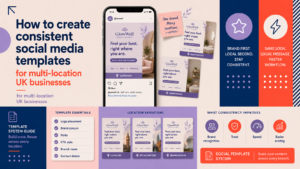
Create master templates controlled by the central marketing or compliance team and allow limited, documented local variations for office contact details or local events. For detailed guidance on multi-location template management see our article on How to create consistent social media templates for multi-location UK businesses.
Central brand kit and shared asset library
Maintain a single source of truth for logos, colour codes and approved imagery. This prevents accidental use of outdated assets.
Guidelines for authorised local edits
Provide a short playbook describing what local teams can change (dates, local contact) and what must remain unchanged (disclaimers, authorised wording).
When to design templates in-house and when to hire professionals
In-house advantages and limitations
In-house design is cost-effective for basic templates and quick edits, but may be limited by design skill, time and knowledge of accessibility and export formats.
What a specialist agency provides
An agency can supply a coherent brand identity, professional templates, guidance on accessible and compliant designs, and managed posting. If you’d like a deeper look at managed social for law firms, our Social Media Management for Law Firms: A Practical UK Guide explains the options and benefits. To help budget decisions, see our article on How Much Does Social Media Management Cost for a Small Business in the UK? and the decision guide Should a Small Business Hire a Social Media Manager?.
Next steps to commission templates and managed support
If you decide to commission templates, prepare a brief listing required post types, brand assets and a compliance checklist so the agency can deliver a focused package.
Implementation checklist and next steps
- Gather brand assets and regulatory wording (logo, colours, SRA wording).
- Choose editable formats (Canva, Adobe) and export presets.
- Define roles and approval workflow; create an archive process.
- Pilot templates for 4–6 weeks, review performance and compliance.
- Refine templates and roll out to local teams with a short playbook.
FAQ
Are there specific SRA rules I must follow when posting on social media?
Yes. Posts must not be misleading, must respect confidentiality and must include authorised status where appropriate. Check current SRA guidance and consult your compliance officer for firm-specific rules.
Can solicitors use client testimonials on social media in the UK?
Yes, but only with informed consent and where the testimonial is not misleading. Keep signed consent and avoid implying typical results.
What wording should I use to show my firm is authorised and regulated?
Common practice is to state the firm name and that it is authorised and regulated by the Solicitors Regulation Authority. Confirm the exact required wording with your compliance team or regulatory adviser.
Which file formats and sizes should I use for LinkedIn and Instagram posts?
Use PNG for graphics and logos, JPEG for photos, and SVG for logos where supported. Design with platform-safe areas and export at recommended resolutions; test each platform before scheduling.
Should regional offices be allowed to edit master templates?
Allow limited, documented edits (local contact, event dates) but protect disclaimers, authorised statements and core brand elements. Use a shared asset library and a short local playbook.
Conclusion: key takeaways and how Logo Metic can help
Compliant social media templates save time, protect clients and ensure consistent branding across platforms and locations. Use master templates, a clear approval workflow and an archive to reduce risk. If you need a refreshed brand, professional templates or managed support, Logo Metic can help design and deliver the assets you need.
Request a free consultation with Logo Metic to plan your compliant social media templates and managed support, or email support@logometic.co.uk to discuss your requirements. You can also review our Brand Identity Design and WordPress Web Design services to support landing pages and downloadable content linked from social posts.