Introduction
A clear ecommerce website launch checklist reduces risk, improves conversions and helps avoid common legal or technical pitfalls. This guide explains what to test before you go live and gives step-by-step checks tailored for UK small businesses, startups and growing retailers. The ecommerce website launch checklist below is practical: you can follow it as a quick scan or work through the detailed sections to resolve problems before launch.
Who this checklist is for
Small businesses, startups and growing retailers preparing to launch or relaunch an online store. It assumes a standard ecommerce platform (for example WordPress/WooCommerce, Shopify or similar) and focuses on UK requirements.
What the checklist covers and how to use it
Use the quick checklist for final sign-off and the detailed sections to fix issues. Mark each item as pass/fail and log problems in a testing log. Aim to complete the checks over a week where possible; allow more time if you need integration work, legal review or third‑party approvals.
Expected time to complete checks
Typical small-business sites require 1–5 days of focused testing. Larger catalogues or complex integrations may take longer. Prioritise checkout, payments and legal compliance before launch.
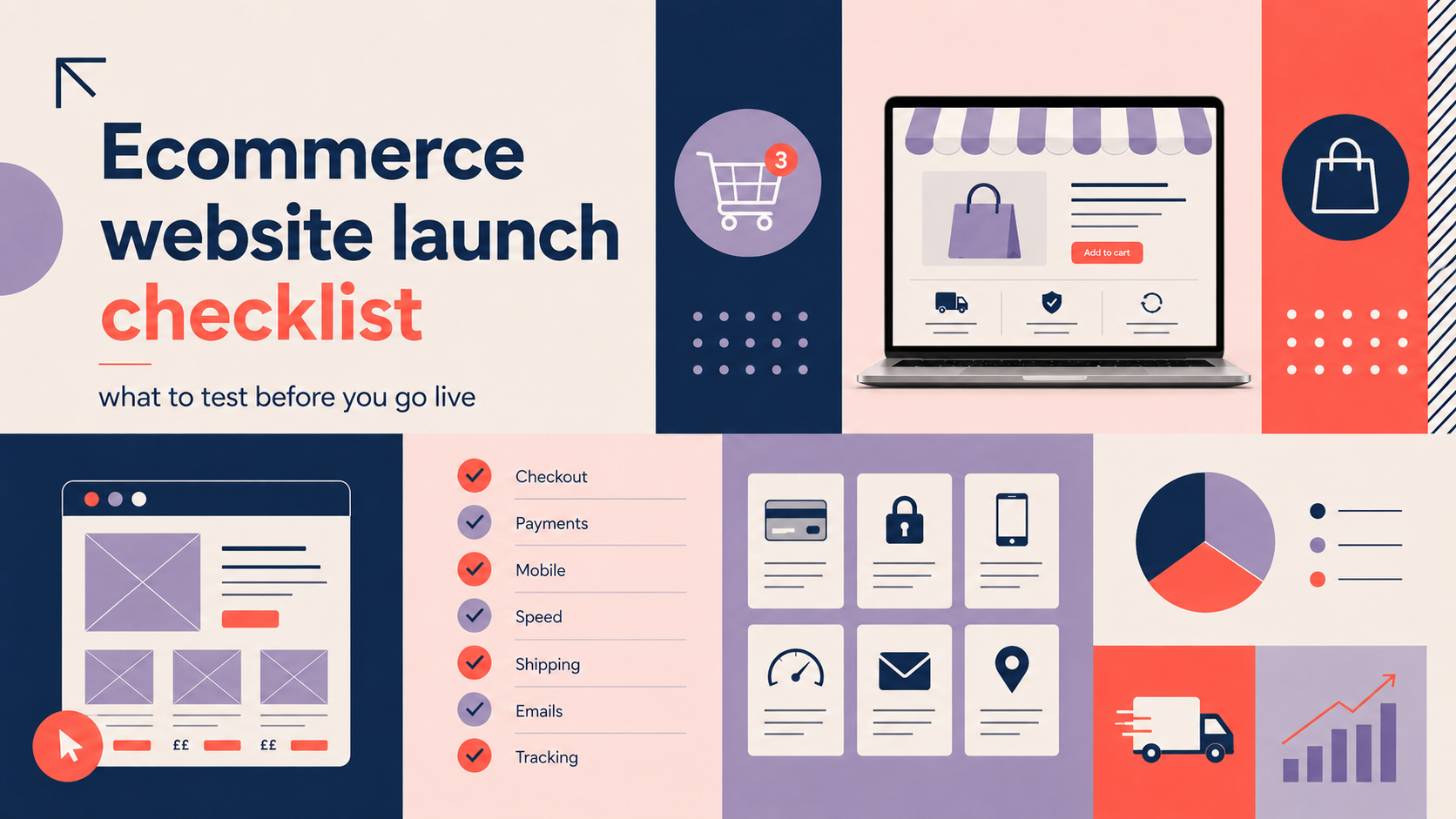
Ecommerce website launch checklist (quick overview)
Keep this printable summary to hand during launch day: a short online store design checklist for final verification.
- Technical: hosting, SSL, DNS, backups, mobile responsiveness
- Design & UX: brand consistency, navigation, product pages, accessibility
- Products: accurate SKUs, images, prices, stock and SEO
- Checkout & payments: end-to-end checkout tests, gateways, shipping, tax
- Legal: GDPR, cookies, terms, returns and data retention
- Marketing & analytics: SEO, sitemap, GA4, email capture
- Performance & security: speed, load testing, vulnerability scan
- Launch day: smoke tests, monitoring, rollback plan, first-week fixes
Technical and hosting checks
Reliable hosting and correct configuration are foundations of a successful launch.
Hosting capacity and uptime SLA
- Confirm hosting plan supports expected traffic and concurrent users. Test under load if you expect marketing spikes.
- Check uptime SLA and support response times with your host or developer.
SSL certificate and mixed-content scan
- Install a valid SSL certificate and force HTTPS site-wide. Scan pages for mixed content (HTTP assets) and fix insecure links.
DNS, domain setup and email records (SPF/DKIM/DMARC)
- Verify DNS records, A and CNAME entries, and that the domain resolves correctly. Ensure transactional emails use proper SPF/DKIM/DMARC to avoid delivery issues.
Backups and restore testing
- Confirm automated backups are scheduled and perform a test restore to a staging environment to ensure backups are usable.
Mobile responsiveness and browser compatibility
- Check the full site on major browsers and devices. Prioritise mobile-first layout, since many UK customers shop on phones.
For WordPress or WooCommerce stores, consider specialist platform support — our WordPress web design service can help with hosting, backups and platform-specific checks.
Design and user experience (UX) checklist
A good UX reduces friction and increases conversion. Review visual and interaction elements carefully.
Consistent brand elements
- Ensure logo, colour palette, fonts and tone of voice are consistent across the site and match other brand touchpoints.
Navigation, search and product filtering
- Test primary navigation, category pages and filters. Ensure search returns relevant results and handles typos or partial matches.
Product pages: imagery, descriptions and variants
- Use clear hero images, zoom and multiple angles where relevant. Confirm variant selection (size, colour) updates price and stock correctly.
- Include short benefit-led summaries and longer detailed descriptions for SEO and customer confidence.
Mobile-first design and touch targets
- Buttons, forms and filters must be easy to tap. Keep primary CTAs visible without excessive scrolling.
Basic accessibility checks
- Include meaningful alt text for images, ensure colour contrast meets basic WCAG thresholds, and test keyboard navigation for essential paths.
If you want expert help refining product pages or checkout layouts for conversion, discuss our e-commerce store design services to ensure a conversion‑focused design and accessible UX.
Product catalogue and content checks
Product data quality has a direct impact on sales and returns.
Product titles, SKUs and categories
- Use clear, consistent product titles and unique SKUs. Check category structures are logical and reflect customer browsing habits.
High-quality images and recommended sizes
- Use optimised images with recommended dimensions, and provide thumbnails for category pages. Test load times for product galleries.
Accurate pricing, tax settings and stock levels
- Confirm displayed prices match backend settings and include VAT where required. Ensure stock counts and backorder behaviour are correct.
Product variants and bundling tested
- Test all combinations of variants and any bundled product logic (discounts, kit assembly).
SEO-friendly product descriptions and metadata
- Write unique descriptions, set meta titles and descriptions, and add structured data where appropriate to improve search visibility.
Checkout, payments and delivery
Checkout failures are a major source of lost sales. Test every path carefully.
Test checkout flow end-to-end
- Run purchases as guest and as signed-in users. Test cart edits, coupon codes, shipping address changes and tax calculations.
Payment gateways: sandbox and live transactions
- Test gateways in sandbox mode and then run small live transactions to confirm end-to-end processing and reconciliation.
Payment methods popular in the UK
- Offer card payments, PayPal and, where appropriate, Apple Pay / Google Pay. Confirm fallback options if a gateway declines.
Shipping zones, costs, carriers and estimated delivery times
- Verify shipping rules for UK and international zones, carrier integrations and that estimated delivery times display clearly at checkout.
Tax/VAT handling for UK and international customers
- Ensure VAT is applied correctly and displayed clearly. For cross-border sales, check tax rules for distance selling thresholds if relevant.
Order confirmation emails and transactional message tests
- Send and review order confirmations, shipping notifications and any abandoned-cart emails. Confirm branding and essential information are present.
Legal, privacy and compliance
Legal compliance protects your business and builds customer trust. Seek professional advice for complex cases.
GDPR and cookie consent
- Provide a clear privacy policy, lawful bases for processing and a functioning cookie consent banner that respects preferences.
Terms & conditions, refunds and distance selling rights
- Publish terms that explain returns, refunds and cancellation rights in line with UK consumer law and distance selling regulations.
Age-restricted products and product safety notices
- If you sell age-restricted or regulated items, include verification steps and appropriate safety information.
Data storage and retention policy
- Document where customer data is stored, retention periods and procedures for deletion on request.
PCI-DSS considerations
- Use a payment gateway that handles card data securely. Avoid storing raw card details unless you have certified compliance processes.
For legal or tax questions, seek a solicitor or accountant with ecommerce experience to verify your policies.
SEO, analytics and marketing setup
Visibility and measurement let you assess the success of launch campaigns.
On-page SEO
- Check page titles, meta descriptions, headers and structured data for products and key pages.
Robots.txt and XML sitemap
- Ensure a correct robots.txt and submit an XML sitemap to Google Search Console (and other search engines as needed).
Google Analytics / GA4 and ecommerce tracking
- Set up analytics, verify tracking is capturing pageviews and ecommerce events, and test in a staging environment before launch.
Google Merchant Centre and shopping feeds
- If you plan paid shopping campaigns, validate product feeds and Merchant Centre settings.
Email capture, CRM and marketing automation
- Verify signup forms, double opt-in, welcome emails and any CRM integrations so customer contacts flow correctly.
Performance, security and testing
Fast, secure sites keep customers and search engines happy.
Load and stress testing
- Run load tests simulating expected traffic and peak events. Identify bottlenecks and improve caching or scaling before launch.
Page speed optimisation
- Optimise images, implement caching, and defer non-critical scripts. Measure with Lighthouse or WebPageTest and address major issues.
Security scans and vulnerability checks
- Run automated security scans, check plugin or extension versions, and ensure admin interfaces are protected with strong passwords and two-factor authentication.
Cross-device and cross-browser testing
- Test the full purchase journey on common devices and browsers used by your customers.
User acceptance testing (UAT) and a bug log
- Record all issues in a bug log with steps to reproduce, priority and owner. Resolve critical items before launch.
Launch day and post-launch monitoring
Launch day checklist: final smoke tests and go/no-go criteria
- Perform smoke tests: home page, product page, add-to-cart, checkout, payment and order email. Confirm critical paths work before announcing the site.
- Have a go/no-go list with sign-off from stakeholders.
Monitoring: errors, performance and customer support queues
- Monitor server errors, application logs and page speed. Ensure customer support channels are staffed to handle early enquiries.
Collecting early feedback and fixing high-priority issues
- Encourage a small group of customers or colleagues to test the live site and report issues. Triage and address high-impact problems quickly.
Post-launch marketing
- Coordinate paid campaigns, email launches and social posts once you confirm stability. Stagger activity if you anticipate heavy traffic.
Appendix: printable checklist and templates
Below are compact templates you can copy into a spreadsheet or print for launch day.
One-page printable checklist
- Technical: SSL, DNS, backups, mobile test — Pass/Fail
- UX: navigation, product pages, accessibility — Pass/Fail
- Products: images, SKUs, pricing, stock — Pass/Fail
- Checkout: guest and account purchase, payment success — Pass/Fail
- Legal: privacy, terms, returns — Pass/Fail
- Marketing: GA4, sitemap, SEO basics — Pass/Fail
- Performance: load test, speed score targets — Pass/Fail
Sample testing log template
- Issue ID | Page | Steps to reproduce | Expected | Actual | Priority | Assigned to | Status
Email and order confirmation test matrix
- Trigger (order placed, payment failed, shipped) | Recipient | Template version | Link checks | Branding present | Delivered
For WordPress-specific pre-launch tasks, our WordPress website design checklist for UK small businesses is a useful companion that covers platform setup and common WordPress pitfalls.
FAQ
How long should I run tests before launching my ecommerce site?
Allow 1–5 days for focused testing on a typical small-business store. More complex sites or heavy integrations may require several weeks. Prioritise checkout, payments and legal items for early completion.
What payment methods should I offer for UK customers?
At minimum, offer card payments and PayPal. Consider enabling Apple Pay and Google Pay for mobile convenience. Choose gateways with clear UK support and test both sandbox and live transactions.
How do I make sure my online store complies with GDPR and UK consumer law?
Publish a clear privacy policy and cookie banner that records consent. Provide terms and returns information that reflects UK distance selling rights. For specific legal requirements, consult a solicitor or compliance specialist.
What are the most common checkout issues that lose sales and how can I prevent them?
Common issues include hidden shipping costs, unexpected taxes, slow payment response, and poor mobile checkout design. Prevent these by showing prices clearly, testing every payment method, simplifying forms, and offering guest checkout.
Should I use WooCommerce or a hosted platform like Shopify for my small business?
Both have pros and cons. WooCommerce on WordPress offers flexibility and control; hosted platforms like Shopify simplify maintenance and include hosting and PCI compliance. Choose based on your technical resources, integrations and growth plans.
Conclusion and next steps
Follow this ecommerce website launch checklist methodically: fix critical issues first, verify payments and legal compliance, and monitor closely after go-live. If you prefer professional support with platform setup, product pages or checkout design, get in touch to discuss requirements.
Request a free consultation with Logo Metic to review your store before launch and ensure your site is ready for UK customers.