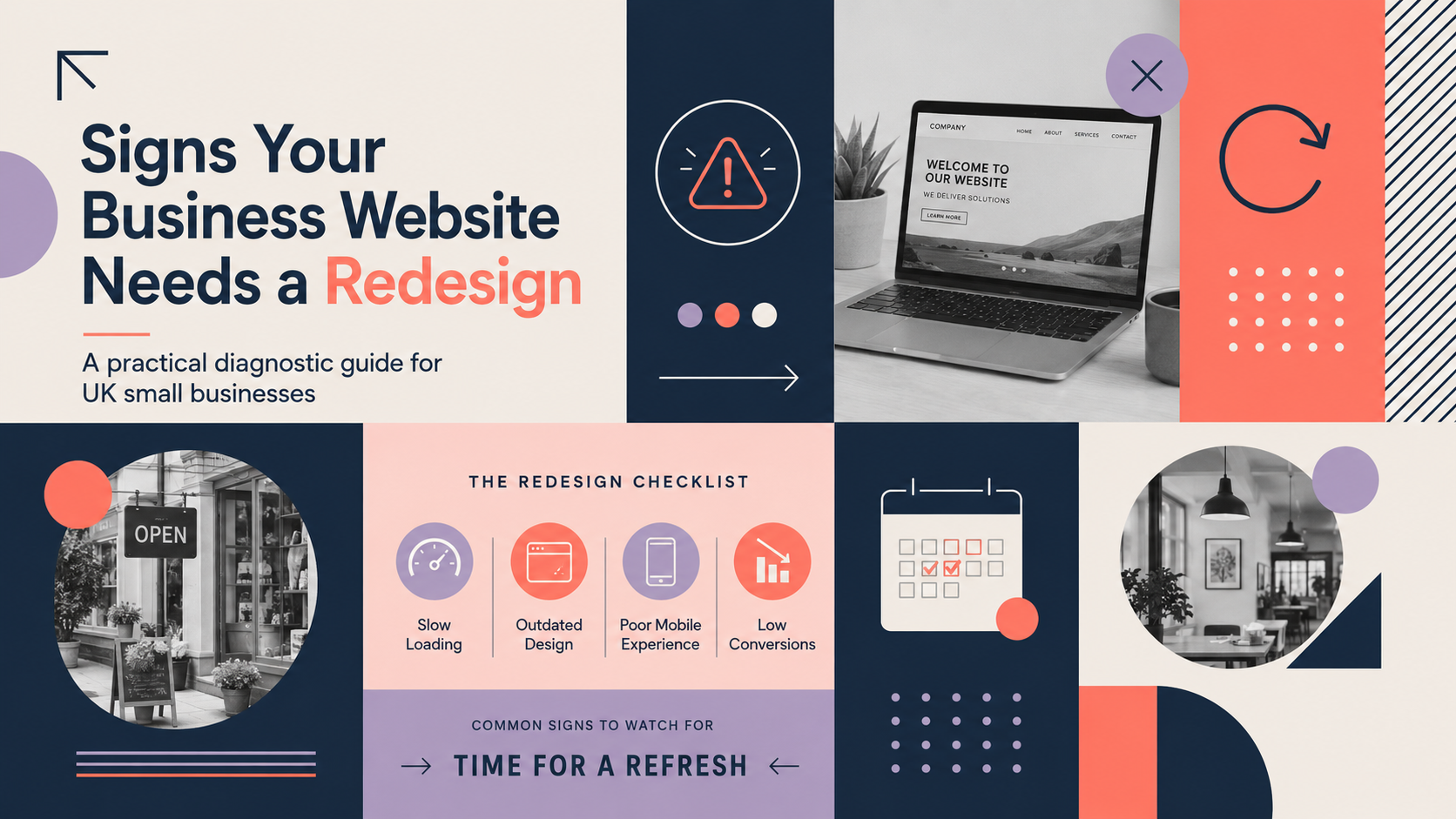
This guide helps you quickly decide whether your website needs a redesign. Use the practical checks below to identify the signs website needs redesign, run simple tests, and plan next steps. If the issues are serious or technical, this article explains what to gather before you contact an agency.
Why review your website now?
Businesses change — services evolve, audiences shift and competitors adjust. A periodic website review ensures your site remains useful and commercially effective for your customers and prospects across the UK market.
Common business triggers for a review
- Rebrand, new services or target markets
- Falling sales, enquiries or conversion rates
- Major platform changes or security warnings
- Plans to scale ecommerce or add appointments, subscriptions or new integrations
How to use this guide
Start with the quick checklist to flag obvious problems. Use the technical and content diagnostics to prioritise fixes you can carry out immediately. Where issues are structural or platform-related, follow the planning section and gather data before engaging a specialist.
signs website needs redesign: Quick diagnostic checklist — 10 immediate signs your website needs a redesign
Work through these ten signs. Each one alone can justify improvement; several together usually mean a redesign is appropriate.
- Traffic or enquiries have dropped unexpectedly — reduced visits or fewer contact form submissions without a clear seasonal reason.
- High bounce rates and low time on site — users land and leave quickly, especially on key pages.
- Poor performance on mobile devices — layout breaks, buttons are hard to tap or text is unreadable.
- Pages load slowly or fail performance tests — images, scripts or hosting cause delays.
- The site looks dated or no longer matches your brand — fonts, colours and imagery feel old or inconsistent.
- Low conversion rates on key pages — contact, quote or product pages are not converting.
- Frequent technical errors or security warnings — broken pages, expired SSL or plugin conflicts.
- You can’t update content easily — CMS limits prevent timely changes or hide important settings.
- Accessibility or legal compliance gaps — missing alt text, poor contrast or unclear cookie/privacy notices.
- The site doesn’t support current business goals — no ecommerce when you need one, or no lead capture for B2B services.
Technical and performance indicators to check
PageSpeed and load times — what to test and acceptable ranges
Run Google PageSpeed Insights or Lighthouse. Aim for fast desktop and mobile scores; more importantly, check real-world load times — first contentful paint and time to interactive. If pages take more than 3 seconds on a typical mobile connection, prioritise optimisation or a rebuild.
Mobile responsiveness — simple tests to do on a phone
Open your site on several phones and a tablet. Look for readable text, tappable links and a usable menu. For a focused review, test responsive behaviour with our responsive web design guidance and note pages that break.
Hosting, uptime and SSL — signs of server issues
Check your SSL certificate is valid and pages serve over HTTPS. Look at uptime history with your host, and consider if slow responses or frequent downtime are causing poor performance.
Security, updates and plugin health
Outdated CMS versions or unsupported plugins create risk. If you cannot apply updates without breaking the site, the technical debt may justify a rebuild on a modern, maintainable framework.
Accessibility basics (WCAG) and legal considerations for UK sites
Run an accessibility scan for missing alt text, low contrast and keyboard navigation issues. Address clear failures quickly; compliance gaps can harm users and confidence.
Design, brand and user experience issues
Does the site reflect your current brand and audience?
If colours, logo or tone no longer match your business, users may be confused. For brand tweaks, consider pairing a visual refresh with a custom logo design. If messaging and positioning have changed significantly, you may need a deeper redesign.
Navigation and information architecture: can users find what they need?
Ask a colleague or customer to complete core tasks (find service details, request a quote). If they struggle, poor structure or language is the issue. Simple menu changes can help, but widespread confusion suggests a full rethink.
Visual design: dated layouts, typography, imagery
Dated templates, small imagery or inconsistent typography reduce trust. A visual refresh may suffice if structure and performance are fine; otherwise plan a full redesign.
Trust signals: contact details, social proof and clear services
Make contact details prominent and include clear social proof: case studies, client logos or reviews. B2B firms often need more detailed service pages and tailored calls to action — see our B2B web design guidance for direction.
When a visual refresh is enough and when a full redesign is needed
Refresh: brand assets, imagery and copy, plus some UX polish. Redesign: structural issues, poor performance, platform limits or major business changes.
Content and conversion problems (practical diagnostics)
Are your key pages doing their job?
Review service, product and contact pages against user intent. Use the essential pages for a small business website checklist to confirm you have the right pages and clear next steps for visitors.
Calls to action: clarity, placement and testing
CTAs should be obvious and consistent. Try clearer wording and prominent placement on a few pages for a month and measure any lift in form submissions or clicks.
Content freshness and SEO basics
Check meta titles, headings and structured content. Pages that rank but get few clicks may need improved titles and descriptions. Small improvements often help before a rebuild.
A/B tests and small content changes to try first
Test headline variants, CTA text and hero images on important pages. If A/B tests move metrics meaningfully, iterate. If not, structural changes or redesign may be required.
Ecommerce-specific signs (if you sell online)
Checkout abandonment and cart friction
High abandonment often points to a complicated checkout, missing payment options or trust concerns. Simplify the steps, add clear progress indicators and show secure payment marks.
Payment options and trust marks
Offering modern payment methods and visible trust seals reduces friction. If your platform limits payment integrations, consider a migration.
Inventory, product page quality and searchability
Product pages need good images, descriptions and search filters. Poor product discovery or manual inventory work can justify a platform upgrade.
When to consider moving platforms
If growth, integrations or performance are limited, migrating to a specialist platform such as Shopify web design may be appropriate. For bespoke ecommerce projects, see our e-commerce web design service.
Platform and CMS considerations: repair or rebuild?
Is your CMS holding you back?
WordPress suits many small businesses, but legacy themes and unsupported plugins cause constraints. If the CMS prevents key features or secure maintenance, migration or a rebuild is a sensible option.
Third-party integrations and technical debt
Complex integrations, custom code and old plugins create ongoing maintenance costs. A technical review can reveal whether cleanup or a fresh build is more cost-effective.
When to contact a specialist for a platform review
If you cannot resolve core issues with routine updates and optimisation, contact a specialist for a platform review and recommendations.
Deciding between a refresh and a full redesign
Use these criteria to decide:
- Surface refresh if issues are primarily visual or content-based.
- Full redesign if architecture, platform, performance or security are failing.
- Consider cost, downtime and expected business impact when choosing scope.
How to plan a redesign: practical next steps and timeline
Gather data
Collect analytics, Google Search Console reports, customer feedback and conversion metrics. These will guide priorities and KPIs.
Set clear goals and KPIs
Examples: increase enquiries by X, reduce checkout abandonment by Y, or improve mobile load time to under 3 seconds.
Choose the right partner and scope
Decide platform (WordPress, Shopify, custom). If you plan a WordPress project, consider our WordPress web design services and consult the WordPress website design checklist when preparing requirements.
Typical phases and a simple timeline
Discovery, design, build, testing and launch. For realistic timing see our WordPress build timeline. Small business projects typically range from a few weeks for a refresh to several months for a full rebuild.
Prioritised action checklist and next steps
Immediate checks to run today
- Open your site on a mobile device and desktop.
- Run a quick PageSpeed check and note the mobile score.
- Confirm SSL is valid and contact details are visible.
Short-term fixes to try this month
- Improve CTAs on key pages and test changes for a few weeks.
- Optimise a few large images and update any out-of-date content.
- Apply CMS and plugin updates in a staging environment.
When to schedule a full redesign project
Schedule a redesign if technical debt, platform limits, poor performance or a major business change prevent you meeting goals. Gather the analytics and examples to discuss with an agency.
FAQ
How often should a small business redesign its website?
There is no fixed interval. Many small businesses review design every 3–5 years, but address technical, performance or content problems as they arise.
Will a redesign affect our search rankings?
A redesign can affect rankings if URLs, metadata or content change. Mitigate risk with a migration plan, 301 redirects and by keeping important content intact. Work with your developer to preserve SEO during the project.
Can we fix our problems without a full redesign?
Often yes. Start with quick performance improvements, content changes and plugin updates. If those don’t move the needle, consider a larger project.
How long does a typical small business website redesign take?
Times vary by scope. Minor refreshes can take a few weeks; full redesigns involving discovery, design and custom development typically take a few months. See our WordPress build timeline for examples.
What evidence should I gather before contacting a web design agency?
Collect analytics, examples of pages that perform poorly, screenshots of issues, a list of required features and any competitor sites you admire. This helps the agency provide an accurate recommendation and quote.
Ready to act? If you want help diagnosing issues or planning a redesign, request a free consultation with Logo Metic. We can review your analytics, run technical checks and recommend whether a refresh or full redesign is the right move for your business.