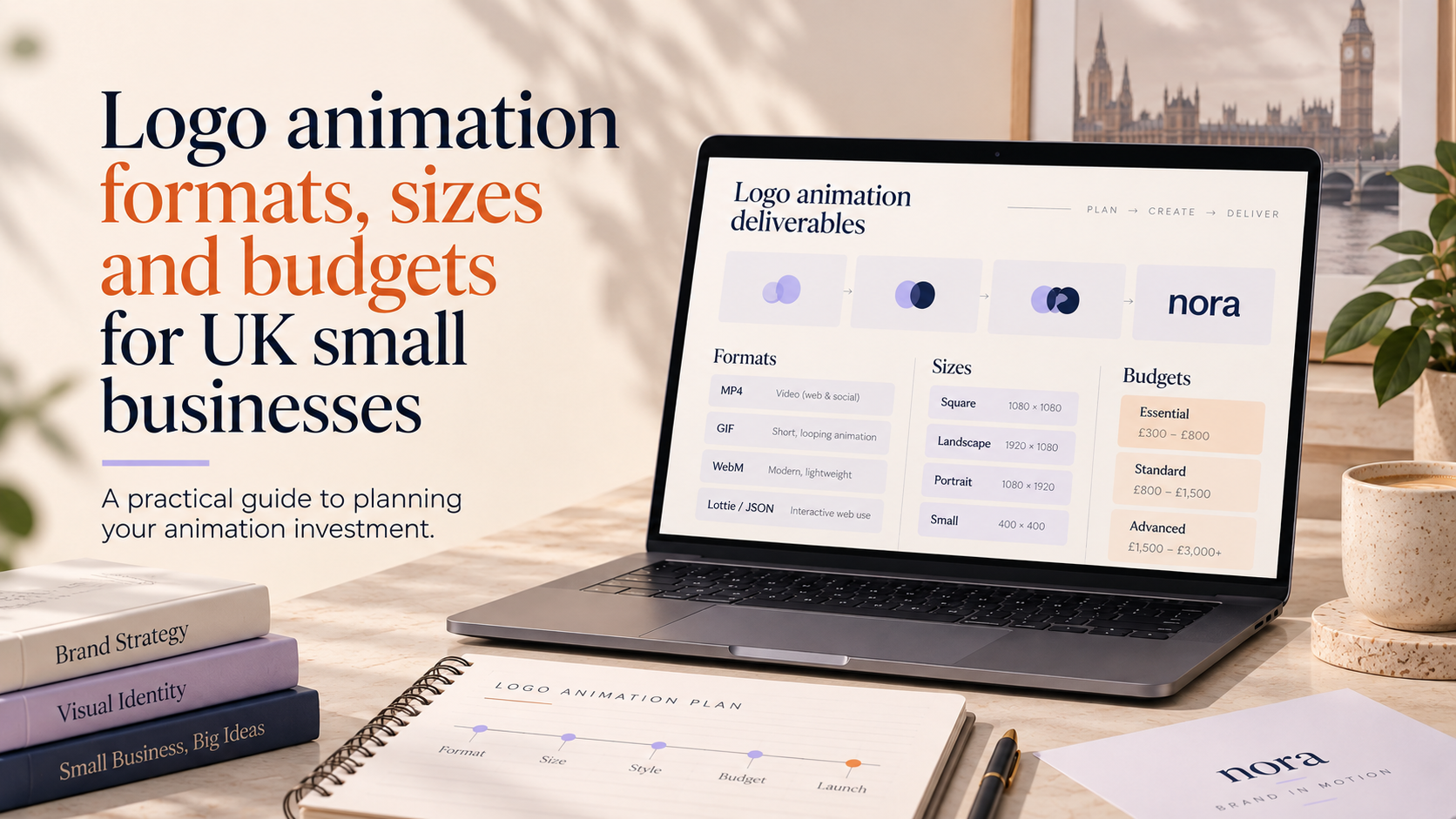
Animated logos are more than a visual flourish — the right choice of format, size and deliverables affects how your brand appears across web, social and video. This guide to logo animation formats uk explains the common file types, practical export sizes, developer-friendly handover items and the questions to ask a designer so your animated logo works reliably where it matters.
Why format, size and budget matter for animated logos
Common uses for animated logos (web, social, video, apps)
Small businesses typically use animated logos in several places: as looping idents on social posts, short openers in video content, subtle micro-interactions on websites and as in-app or mobile animations. Each use has different technical needs — transparency, loop behaviour, aspect ratio and file size are all important.
How format and size affect quality, performance and compatibility
Formats determine whether an animation stays sharp at any size, whether it supports transparency, and how browsers or social platforms play it. File size impacts page speed and social upload reliability. Budget affects how many formats and resolutions you receive — more exports and editable source files usually mean higher cost but greater flexibility.
What to bring to a briefing: logo files and context
Before you ask for an animated logo, gather the best-possible master files: a clean vector (AI, EPS, or a high-quality SVG), brand colour values, typeface files or licences, and examples of where the animation will appear (website header, Instagram stories, product videos). Mention target platforms and any brand rules such as not changing logo proportions.
logo animation formats uk — when to use each
Vector-first options: SVG (animated SVG) and Lottie (JSON) — benefits and limits
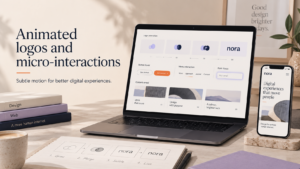
Animated SVG and Lottie (JSON) are ideal when you want crisp, small-footprint motion that scales across screen sizes. They work well for web headers, micro-interactions and lightweight mobile animations because they often render using vectors rather than pixels.
Use SVG/Lottie when you need:
- scalable quality for responsive sites and apps
- small payloads compared with frame-based video
- control over loop behaviour and playback via code
Limitations: complex photographic effects or detailed gradients can be harder to reproduce in pure vector form. Lottie relies on a JSON export workflow (commonly via Bodymovin) and may require checking in different browsers or native apps for feature parity.
Raster and video formats: GIF, APNG, MP4 and WebM — where they fit
GIF and APNG are simple options for short looping animations on social or as email-safe fallbacks. GIFs can be large for long or high-frame-rate animations; APNG preserves colour better but has more limited support.
MP4 (H.264) and WebM are the standard for social video and website video headers. They offer better compression and visual quality than GIF and are widely accepted by platforms. Use MP4 if you need maximum compatibility; provide WebM where size and browser support allow.
High-quality exports for broadcast: MOV/ProRes and when to request them
If you expect your animation to appear in broadcast, cinema or high-end editing workflows, request ProRes or an uncompressed MOV deliverable. These are large files intended for editors and post-production, not for direct web use.
Quick reference: choose format by use case (web, social, video, in-app)
- Website micro-interactions: Lottie or animated SVG (plus a PNG/WebP fallback)
- Social posts and stories: MP4/WebM (square or vertical exports) and GIF for simple loops
- Video openers and ads: MP4 (H.264) for delivery, plus ProRes for editing
- Mobile apps: Lottie where supported, otherwise MP4/WebM
File sizes, dimensions and social/video motion specs
Recommended aspect ratios and pixel dimensions for socials and video
Export the same animation in multiple aspect ratios depending on platform needs: landscape (16:9) for YouTube and website video headers, square (1:1) for Instagram feed, and vertical (9:16) for Instagram Stories, TikTok and Reels. Deliver appropriately sized pixel dimensions for each use to avoid browser scaling artefacts.
Optimising file size without losing visual quality (codecs, bitrate, frame rate)
Ask your designer to optimise exports with a modern codec (H.264 for MP4, VP9/AV1 where supported for WebM), sensible frame rates and targeted bitrates. For Lottie/SVG, optimisation includes simplifying paths, removing hidden layers and reducing keyframes. Always request a visually lossless preview so you can confirm quality before final delivery.
Platform-specific considerations (Instagram, Facebook, LinkedIn, YouTube, TikTok)
Social platforms vary in their preferred containers and aspect ratios. Rather than rely on memory, ask your designer to prepare platform-specific exports and to confirm they meet the current upload recommendations. Retailers using animated assets in product listings or storefronts should also consider how motion plays with shopping feeds — for ecommerce advice, discuss requirements with your designer or a specialist in ecommerce store design.
When to ask for multiple exports vs a single master file
If you plan to use the animation widely, request a single editable master (After Effects project or vector source) plus multiple ready-to-use exports for web, social and broadcast. If budget is tight, agree a phased approach: deliver the master and one or two priority formats first, then add more exports later.
Delivery checklist: what you should ask your designer to hand over
Request a clear, developer-friendly handover so your team or web developer can implement the animation without guessing.
Essential files
- Editable source: After Effects project or equivalent, with organised folders and labelled layers.
- Vector master: SVG and original AI/EPS files.
- Lottie JSON: Bodymovin export with documentation for playback options.
- Video exports: MP4 (H.264) and WebM for social/video use.
- Raster fallbacks: GIF or PNG sequence where necessary.
Technical notes to request (frame rate, loop behaviour, background transparency)
- Declared frame rate and whether the animation is designed to loop or finish on a hold frame.
- Instructions on background transparency and whether alpha channel is included (important for overlaying on video).
- Accessibility notes: whether motion respects reduced-motion preferences and suggested alternative static logo frames.
Naming conventions, versioning and fallback assets
- Ask for clear file names and a version history (e.g., logo_v1_lottie.json).
- Include static PNG/SVG fallbacks sized for common placements.
- Provide guidance on which file to use in different contexts to avoid accidental use of high-bandwidth formats on the web.
Licence and rights: what you need in writing
Confirm in writing that you receive the necessary rights to use and adapt the animation across your channels. If the animation uses third-party assets (sound, stock footage, fonts), ensure the licence covers your intended uses.
For accessibility best practice when posting animated assets on social, designers can follow guidance such as the one in our article on accessible social media graphics.
Budget: what affects the cost (and how to assess quotes)
Key cost drivers: complexity, format deliverables, revisions, assets and timing
The final price depends on how complex the animation is, how many final formats you want, whether designers supply editable source files, and how many rounds of revisions are included. Faster turnarounds or additional deliverables such as bespoke ProRes masters add to cost.
Questions to ask in a quote to compare like-for-like
- Which source files will I receive?
- How many export formats and aspect ratios are included?
- How many revision rounds are covered and what counts as a revision?
- Are licensing and commercial usage rights included in writing?
Ways to control spend: scoped deliverables and phased approaches
To control budgets, ask for a scoped deliverable list: for example, deliver a Lottie JSON and one MP4 first; add additional exports later. Integrating animation into a wider brand project can also be cost-effective — speak with a designer about including animated assets as part of a broader brand identity services package or request a dedicated custom logo consultation to confirm whether your master logo needs revision before animating.
Technical handover for web and developers
How to provide Lottie and SVG for web (attributes, accessibility and fallbacks)
Provide a Lottie JSON plus a minimal integration note: suggested container, dimensions, autoplay/loop settings and how to detect prefers-reduced-motion. For SVG, include an exported plain SVG and an accessible static SVG fallback with appropriate role and aria-label guidance.
If your site uses WordPress, consider implementation details early — our WordPress website considerations include performance strategies such as conditional loading and responsive sources.
Embedding MP4/WebM for video headers and social embeds
When embedding video headers, supply muted MP4/WebM with a hold frame (poster) for browsers or devices that block autoplay. Provide both formats if you need broad browser coverage and include recommended HTML attributes for responsive playback.
Performance notes for WordPress and other CMS (lazy loading, responsive exports)
Ask your developer to lazy-load large video files, use responsive image/video sources and provide smaller resolutions for mobile. Keep the Lottie JSON lightweight and include a static SVG fallback to preserve accessibility and speed on low-bandwidth connections.
Questions checklist to ask your designer (printable)
Copy or print this checklist to use in briefs and discovery calls.
Format and compatibility questions to ask
- Which formats will you deliver (Lottie JSON, SVG, MP4, WebM, GIF, ProRes)?
- Will the animation include an alpha channel or a transparent background?
- Does the Lottie/animated SVG support reduced-motion preferences and accessibility fallbacks?
- Which formats do you recommend for Instagram, TikTok and YouTube?
Delivery and rights questions to ask
- What editable source files and version history will I receive?
- Are usage rights and licences included in writing for all intended uses?
- Will you provide technical notes and suggested file names for implementation?
Budget and timeline questions to ask
- What is included in the quote (number of formats, revisions and masters)?
- What are the milestone dates and delivery schedule?
- Can we phase deliverables to spread cost (master + one format first)?
If you need a starting point, request a custom logo consultation and include this checklist — we can advise which deliverables best match your budget and channels.
FAQ
Which animated logo format should I ask for first?
Start with a vector-first option if you want scalability: Lottie or animated SVG are good first asks for web and app work. Add an MP4 for social and a GIF or PNG sequence as a simple fallback.
What files should a designer deliver so my animated logo works on social networks and my website?
Essentially: an editable source, SVG/vector master, a Lottie JSON (if applicable), MP4 and WebM exports, and a static PNG/SVG fallback. Also ask for technical notes on loop behaviour and accessibility.
Will animated SVG or Lottie always be the best option for web?
They are excellent for many web cases, but not always. If your animation uses raster effects, gradients or photographic elements, a video export may be more appropriate. Discuss the visual approach with your designer to choose the right tool.
How do file size and format affect page speed and social uploads?
Larger files increase page load times and may be slowed or rejected by social uploads. Optimise with modern codecs, sensible frame rates and by providing platform-specific exports. Use Lottie/SVG where possible to keep payloads small for interactive web use.
What questions should I include in a brief to get an accurate animation quote?
Include the intended platforms, rough animation complexity, required deliverables (formats and aspect ratios), desired licence scope and deadline. That allows designers to scope effort and provide like-for-like quotes.
Do I need separate files for Instagram, TikTok and YouTube?
Yes — each platform favours specific aspect ratios and durations. Ask for exports for the platforms you plan to use, or request a master plus a set of platform-ready exports.
Next steps
If you would like help scoping an animated logo for your business, request a free consultation with Logo Metic. We can review your master logo, recommend the right formats and prepare a delivery plan that suits your budget and channels. Email support@logometic.co.uk or call +44 7883 180004 to start.
Related reading: See our article on the Benefits of animated logo for social and video branding to understand where motion gives the most value, and read about animated logos and micro-interactions if you plan to use lightweight motion on your site.