The benefits of animated logo are increasingly clear for small businesses using social media and video. An animated logo is a short motion sequence of your mark or wordmark that adds movement, personality and a professional finish to video content, stories and web headers. This article explains why animation matters for small UK businesses, where to use it, practical design rules, production options and a checklist to implement an animated logo without wasting time or budget.
Why animated logos matter for small businesses
What is logo animation?
A logo animation is a brief motion treatment applied to your existing logo: for example, a simple reveal, a subtle element rotation, a colour fade or a short motion tag at the end of a clip. It can be a loop that plays in social posts or a short intro/outro for longer videos.
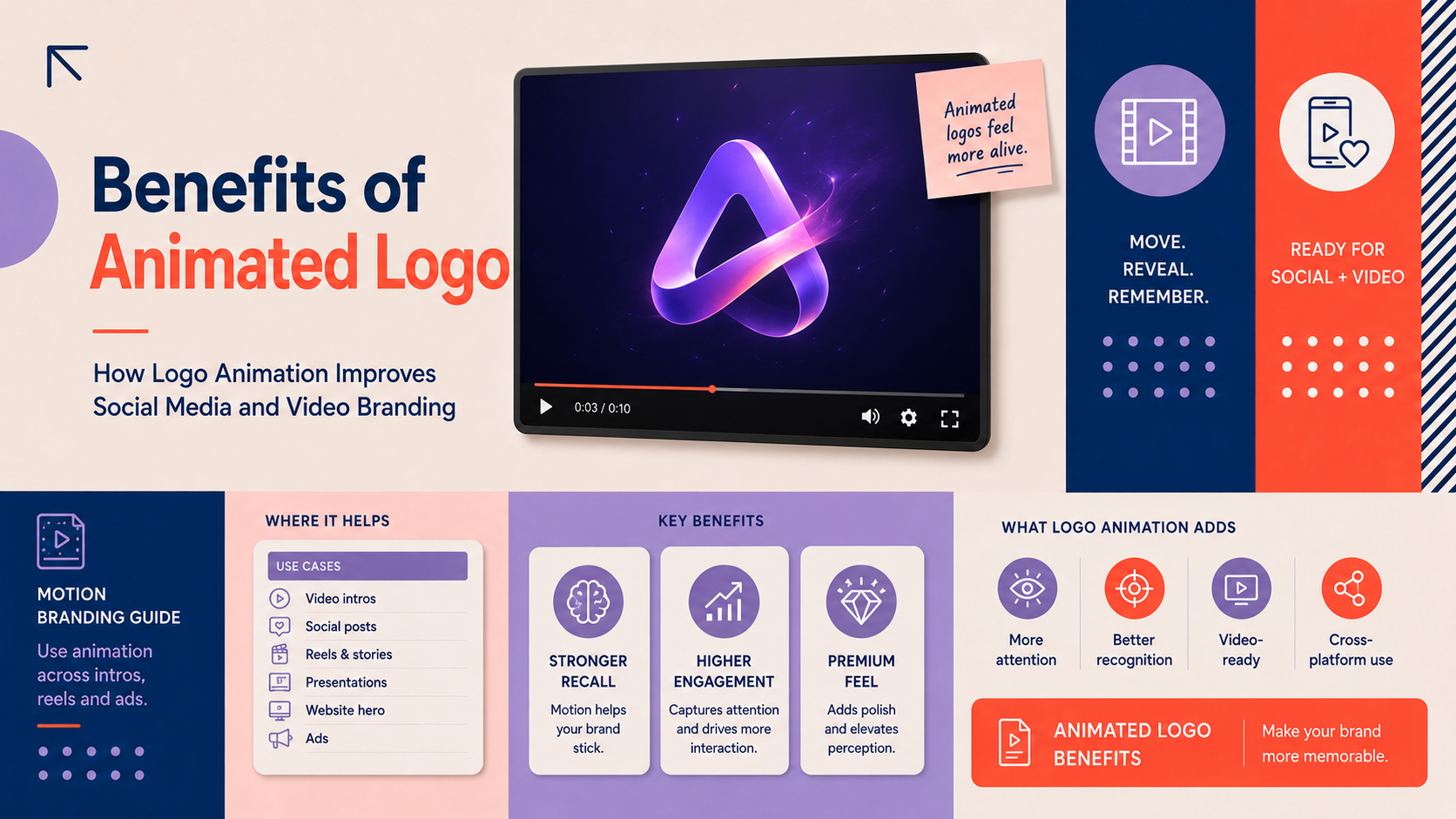
Core benefits of animated logo for social media and video
- Improved recognition: Motion helps the brain notice and remember a mark. A brief, consistent animation can increase recall across repeated short-form posts.
- Higher attention on fast feeds: Subtle movement stands out in Instagram, TikTok and Facebook feeds where users scroll quickly.
- Perceived professionalism: A considered animation signals care and reinforces trust—important for small or local businesses competing with larger brands.
- Enhanced storytelling: Animation can imply tone (friendly, premium, playful) and bridge content between scenes or formats.
How animation changes audience perception
For small, local or online-first brands animation offers a way to feel polished without an expensive production. A restrained animation suggests attention to detail; a more lively motion suits playful or lifestyle businesses. Choose motion that matches how you want customers to perceive your business—whether that is reliable, modern or conversational.
Where to use animated logos: social platforms and video formats
Social posts and stories: Instagram, Facebook and TikTok best uses
Use short loops for Instagram posts and reels, and quick reveals for TikTok and Facebook clips. Animated logos work well as opening frames, end cards or watermarks in the corner of a post. Schedule these animations as part of your plan so they appear consistently; a content calendar such as a social media content calendar for small business UK will help you decide cadence and format.
Video elements: intros, outros, lower thirds and transitions for YouTube and social clips
On YouTube, a 1.5–3 second intro and a 2–4 second outro are typical. In longer videos, use lower thirds and brief transitions that incorporate elements of your logo rather than animating the full mark repeatedly. Product clips and adverts often benefit from an animated end card so viewers leave with a clear brand cue; retailers may combine this approach with product video and shop front branding when they update their storefronts or product pages for seasonal campaigns.
Web and email: micro-animations for headers and CTA reinforcement
Micro-animations—very short, subtle motions—work well in website headers, page loaders and email headers. If you use WordPress, your site can include an animated logo in the header or as a preloader; consult your WordPress website design team to ensure performance and accessibility are maintained. For online stores, subtle animation on product pages or the site header reinforces brand identity and complements an e-commerce store design.
Design principles for effective logo animation
Keep it short and simple: ideal duration and loop options
Short is better. Aim for 1–3 seconds for most social uses and 1–4 seconds for video intros/outros. For looping animations, ensure that the loop point is seamless so attention isn’t broken by a jarring restart.
Timing, easing and motion language: creating a consistent tone
Timing and easing (how motion accelerates or decelerates) convey personality. Slow, smooth easing reads as calm and premium. Snappier, quicker easing reads as energetic. Use consistent motion language across all animated assets so a viewer recognises the brand through movement as well as colour and form.
Colour, scale and typography considerations to match your brand identity
Keep your brand colours and type consistent. Avoid changing colour palettes or replacing type in the animation unless it’s part of a controlled rebrand. Test animations at multiple scales—on a 9:16 phone screen, a desktop browser and a small overlay—so they remain legible.
File types and technical specs: GIF, MP4, WebM and Lottie — when to use each
- MP4/WebM: Best for social and video platforms due to good compression and wide support. Use MP4 (H.264) for most platforms; WebM can be useful for web where smaller file size is needed.
- GIF: Simple and widely supported but often large; use only for very short, low-colour loops where MP4 is not supported.
- Lottie (JSON): Ideal for web and apps when you need crisp, vector-based animation with tiny file sizes and easy responsiveness.
When exporting, provide multiple versions sized for the platform: vertical for stories/reels, square for feeds and horizontal for YouTube. Keep file sizes small enough to avoid slow loading or upload failures.
Practical creation and production options
Working with a designer: what to include in your brief
Include these essentials in any brief: your master logo files (SVG or vector), primary and secondary colour codes, brand fonts or font files, examples of motion styles you like, intended use cases (social, website, YouTube) and delivery formats required. If you don’t yet have a logo befitting animation, consider commissioning custom work through our custom logo design services.
DIY tools and templates: quick wins and when to avoid DIY
There are accessible tools and templates that allow quick animations for simple reveals and loops. These are useful for test content or very small budgets. Avoid DIY when the animation must match a broader identity system, when you need vector-based exports like Lottie, or when motion must be fine-tuned to feel professional.
When to commission a full brand identity instead of only an animation
If you find the animation revealing gaps in colour usage, typography or logo variations, it may be time for a full brand identity design. A full identity ensures motion sits within a consistent system rather than being an isolated asset.
Measuring impact and testing animated logos
Key metrics to watch
- Engagement: likes, comments and shares on social posts featuring the animation.
- View-through and watch time: especially important for video platforms where an animated intro might increase early drop-off or retention.
- Click-through rate (CTR): measure whether animated CTAs or end cards deliver more clicks to your website or product page.
How to A/B test animated vs static logos
Run matched posts or ads where only the logo treatment differs. Keep copy, imagery and targeting identical. Track the metrics above and allow sufficient sample size before deciding. If you’re unsure whether to manage this in-house, our guide on Should a Small Business Hire a Social Media Manager? A UK decision guide can help you decide who should run the tests.
Interpreting results and iterating the animation
Look for consistent improvements in attention or clicks. If an animation increases views but decreases watch time, shorten or simplify the intro. Use test findings to refine timing, scale or motion language.
Checklist: making an animated logo for social and video
- Define goal and placement: list where the animation will appear (stories, reels, website header, YouTube).
- Choose style and duration: pick tone, easing and a target length (1–4 seconds).
- Prepare logo assets and colour specs: supply vector files (SVG/AI) and colour hex codes.
- Decide file formats and delivery sizes: ask for MP4/WebM for socials, Lottie for web, and a GIF only if necessary.
- Test on target platforms and measure: preview on phones and desktop, then A/B test where possible and review metrics.
Common mistakes and quick wins for small businesses
Common mistakes
- Over-animation: Too many effects dilute recognition and can appear amateur.
- Large file sizes: Slow uploads and page load times undermine reach and SEO.
- Inconsistent use: Using different animation styles across channels confuses the brand voice.
Quick wins
- Use a subtle intro on short-form clips and a branded outro with a clear CTA.
- Add a small animated watermark in the corner of videos to increase brand visibility without distracting.
- Schedule animated posts into your social plan using a content calendar so the motion becomes a recognisable element of your mix; the monthly social media plan template is a practical place to start.
Next steps and how to get help
Simple designer brief template (what to include)
- Purpose and placements (e.g. Instagram reels, YouTube intro, site header).
- Logo files and variations (SVG/AI, PNG versions, clear space rules).
- Brand colours, fonts and examples of motion styles you like.
- Required formats and sizes (MP4/WebM, Lottie, GIF) and any CMS constraints.
- Deadline, budget and review rounds.
When to upgrade to a full brand identity
If animation surfaces inconsistencies in colour, type or logo versions, consider a wider review. A full brand identity design ensures motion fits a complete visual system and avoids costly rework later.
Request help from a professional
If you want hands-on support, you can request a custom logo consultation and discuss animation options as part of the brief. For website or shop integration, speak to our WordPress website design team or the team who handle e-commerce store design.
FAQ
What exactly counts as an animated logo and how is it different from a static logo?
An animated logo is your existing logo given motion—reveal, rotation, fade, or element movement. A static logo is a fixed image. Animation adds time-based behaviour and can communicate tone and attention in a way a static image cannot.
Which social platforms work best with animated logos and what file types should I use?
Short-form platforms such as Instagram, TikTok and Facebook benefit most from animated logos used in reels, stories and posts. Use MP4 or WebM for video platforms, Lottie for web where interactive, and GIF only for very short loops if required.
How long should an animated logo be for social posts and video intros?
Aim for 1–3 seconds for social posts and 1–4 seconds for video intros/outros. Keep loops seamless and avoid long intros that increase early drop-off.
Can I create an animated logo myself or should I hire a designer?
You can create simple animations with templates and tools, useful for trials or very small budgets. Hire a designer when you need vector exports (Lottie), consistent motion across assets, or when animation is part of a wider brand system.
How can I test if an animated logo improves engagement on my posts?
Run A/B tests where only the logo treatment differs, and compare engagement, view-through and click-through metrics. If you need help deciding who should manage tests, see our guide on Should a Small Business Hire a Social Media Manager? A UK decision guide.
Request a free consultation with Logo Metic to discuss an animated logo or a broader brand identity review. If you are ready to brief a designer, start with our custom logo design services.